Statuses in Operating
In depth dive into how project and allocation statuses work in Operating
Written By Mikko Karjalainen
Last updated 3 months ago
Operating is all about following what the status of work is.
Your external systems most likely has a deal/opportunity/project status or a pipeline stage. More about those below.
Project status
Internally in Operating we think of things as one of two:
Tentative – unconfirmed, not sure yet
Confirmed – happening, ongoing, sure thing
Additionally, projects can be archived.
Tentative + Archive ⇒ something that never happened. Perhaps the project was lost.
Confirmed + Archive ⇒ completed. Perhaps a project was delivered and you want to hide it from the timeline.
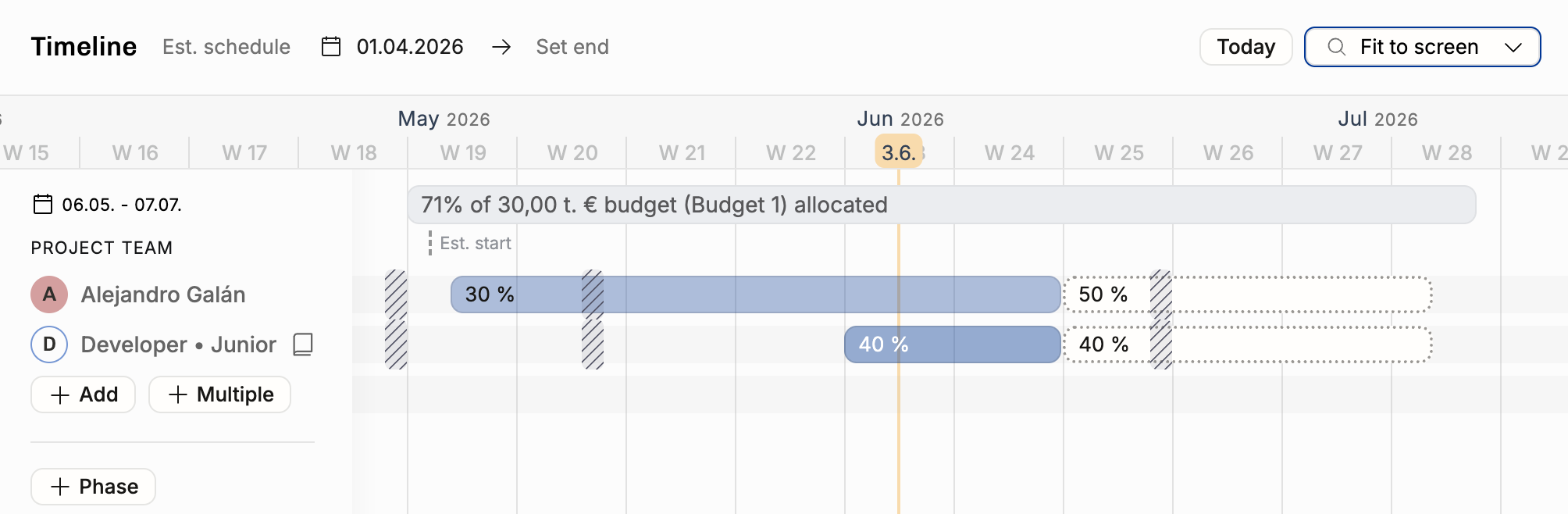
Work effort (allocation) status
Allocations that belong to a tentative project are tentative.
Confirming a project confirms all of the related allocations. After confirmation, you may add tentative allocations to the project – e.g. a project continuation for one or more positions.
All of the individual allocation bars–work efforts–can be tentative or confirmed. They can be deleted, not archived.
Rows in projects on the timeline are called Positions – it’s the entirety of the allocations on one row. Think of it as a “role in the team” allocation for te project can change over time. These can be archived.
If you have tentative work for a Position you archive, that gets hidden from all reports – that work never happened.
If you have confirmed past work for a Position you archive, it’s considered done, and will remain visible in reports.
CRM deal / opportunity status
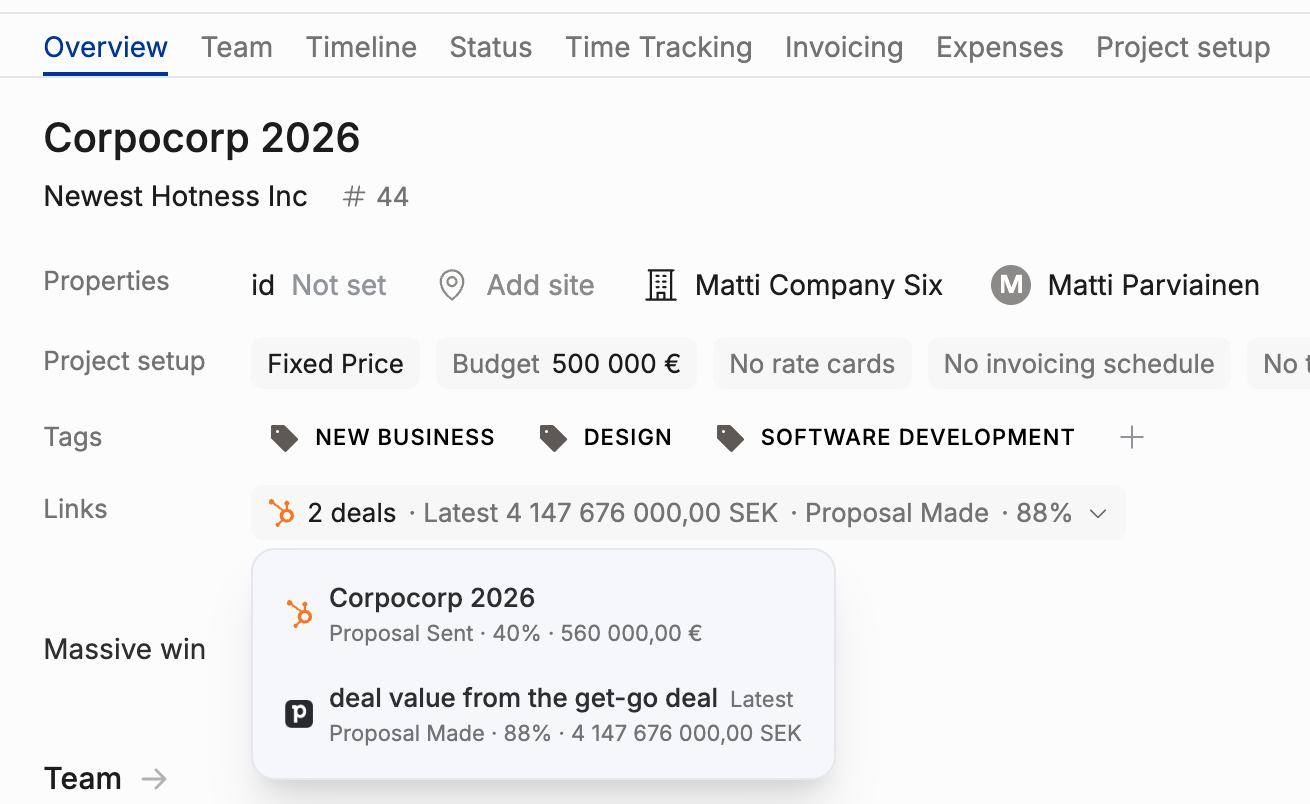
CRM deals can be viewed on the project details page under connections or in the project list views. This example shows 4 deals related to the same Multibble deal project. Perhaps unrealistic, but demonstrates many things: HubSpot and Pipedrive deals appear nicely next to each other, showing the deal status from the source system (e.g. LOST for the Pipedrive deal). The latest deal’s CRM status is shown on top – In Negotiation, in this picture.
Refresh the CRM data to get up-to-date statuses for all of the deals.
Intentional lack of sync between CRM and Operating
We appreciate the fact that the sales process is not equal to the staffing process.
Sales & marketing teams work in CRM and focus on talking to clients and prospects
Staffing & operations team works in Operating, excited about the deals that show up when they’re far enough in the pipeline
Staffing begins, consultants get “soft booked” to cases even if they’re 80% probable
The different scenarios are valuable to keep in mind – and we don’t delete them immediately if the deal is marked “lost” in the CRM
The How to run a staffing routine with Operating should process the lost case in due course, let related people know that this didn’t happen, and what’s the plan(s) instead.
Similarly, closing a deal as won does not automatically confirm the staffing plan in Operating. Sometimes the staffing puzzle may still be solved in a number of ways. Ideally, you haven’t locked the names yet, and still have room for manoeuvre.
Confirming/unconfirming the project in Operating does not affect the deal in the CRM.
Consider deciding on a best practice how to communicate from staffing to all relevant stakeholders (sales, competence team leads, team members) when a team setup & schedule has been set.
Can be as simple as announcing the decision in Slack/Teams, and linking to Operating if anyone wants to see more details.