How to set up cost rates
How to set up the cost rate layers in Operating — from organization-wide defaults through site-based cost cards to per-person and per-project overrides.
Written By Lauri Eurén
Last updated About 1 month ago
A cost rate is what a Person's time costs you internally. You set cost rates in layers — organization-wide defaults first, then site-based cost cards, then per-person and per-project overrides — and Operating uses them to work out each project's cost and margin.
To see which of these Operating applies to a given Person, see How does Operating decide the cost rate?
Before you begin
Setting and viewing cost rates needs the cost permissions (separate view and edit permissions). See Permission sets in Operating.
Set your default costs
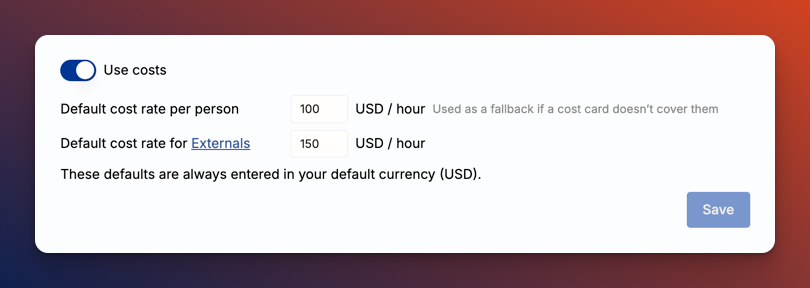
Go to Settings → Financials → Costs and set a default cost for in-house people and a default for external team members. Operating uses these whenever nothing more specific is set, so reports always have a cost to fall back on.
Set cost cards for each of your sites
Costs are site-specific as labor costs differ based on location. Set cost rates for unspecified roles, roles, and for seniority levels.E.g. a senior project manager in London might cost £120/hr while the same role in Finland might cost €100/hr. This will yield a different project profitability per position even if the rate you charge the client for is the same.
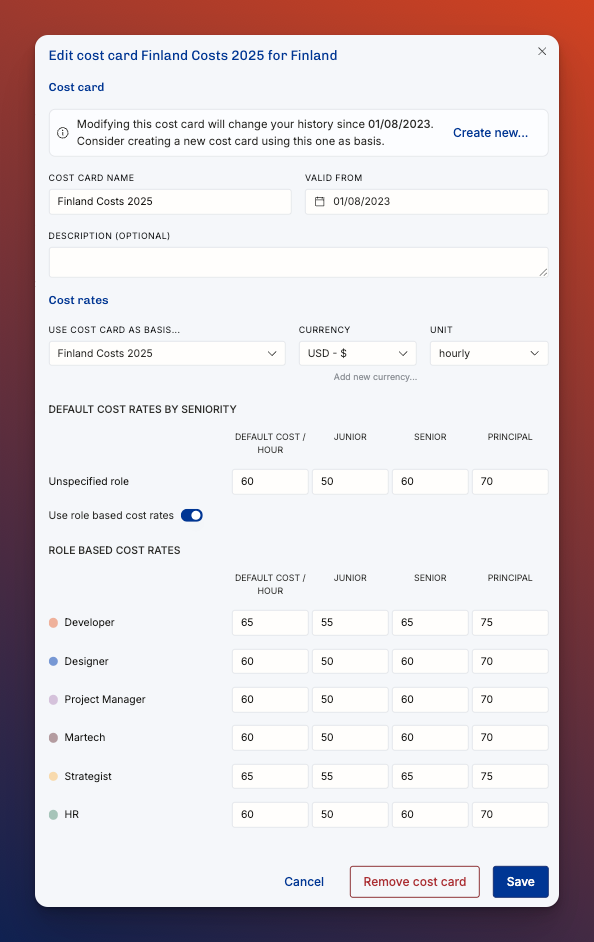
A Site also controls cost capping — whether hours beyond a person's working hours add cost — see How cost capping works.
Set a person's own cost rate
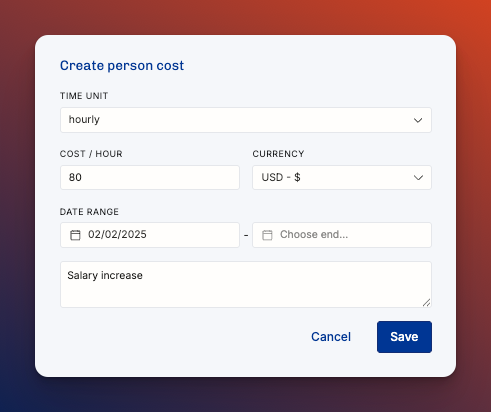
When you know what a specific Person actually costs, set it on them directly — this is the most accurate cost, not an exception. Open the Person's profile, go to Employment, and add a cost rate.
A Person's own cost rate takes precedence over the site, Role, and seniority cost card. Use the cost card for planning and for Positions you haven't staffed with a named Person yet; set the Person's own cost as soon as you know it, so project cost and margin reflect what people really cost.
How to Override Cost Rates for Externals in a Project
By default, externals (contractors) use the cost rate defined in their profile or by their role, site, and seniority. However, you can set a different cost rate for them within a specific project. This allows you to reflect project-specific agreements or varying subcontractor costs.
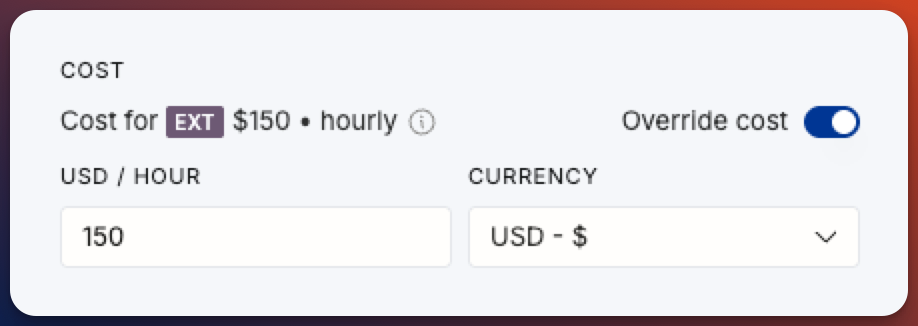
Steps to override cost:
Open the project where the external is assigned.
Locate the external’s position by clicking the person’s name
Click Edit position.
Toggle Override cost on.
Enter the desired hourly cost and select the currency.
Save your changes.
The overridden cost will now apply only within that project and that specific position. It does not affect the external’s default cost in other projects.
Limit access to cost calculations in the permission settings
By default, an external team member's cost comes from the cost rate set on their profile. If none is set, Operating uses your default external cost — unlike in-house people, externals don't draw on the site, Role, and seniority cost cards.
When a specific engagement needs a different figure, set a cost override on their Position in that Project: it applies only there and takes precedence over their profile cost. Use it to reflect project-specific agreements or varying subcontractor costs.
Related articles
How does Operating decide the cost rate? — the full order Operating applies, including externals and unstaffed Positions
How does Operating decide which rate to use? — the charge-out (revenue) rate, set separately from cost
How are revenue, cost, gross profit, and margin calculated? — how these costs feed project margin
Permission sets in Operating — the view/edit cost permissions that gate everything above