Capacity in action: reading time off and overbooking
A worked example of how Operating reads capacity when time off and project work overlap — and how to fix an overbooked week.
Written By Matti Parviainen
Last updated 17 days ago
Example 1: planning the amount of work
Before you start a project, it is common to not know exactly who will be assigned to the team.
As you plan the amount of work, you have to assume how many days a person can do in the time that the project will take.
Then, if you assign people who don’t work exactly as much as you assumed, things start to get interesting:
When planning the project below with unnamed placeholders (e.g. Producer, Analyst, Copywriter, i.e. no assigned person on the position yet), we calculate the amount of hours based on the Site default working hours (e.g. 40h/w for Toronto) —> These three blocks of work sum up to ~48 work days.
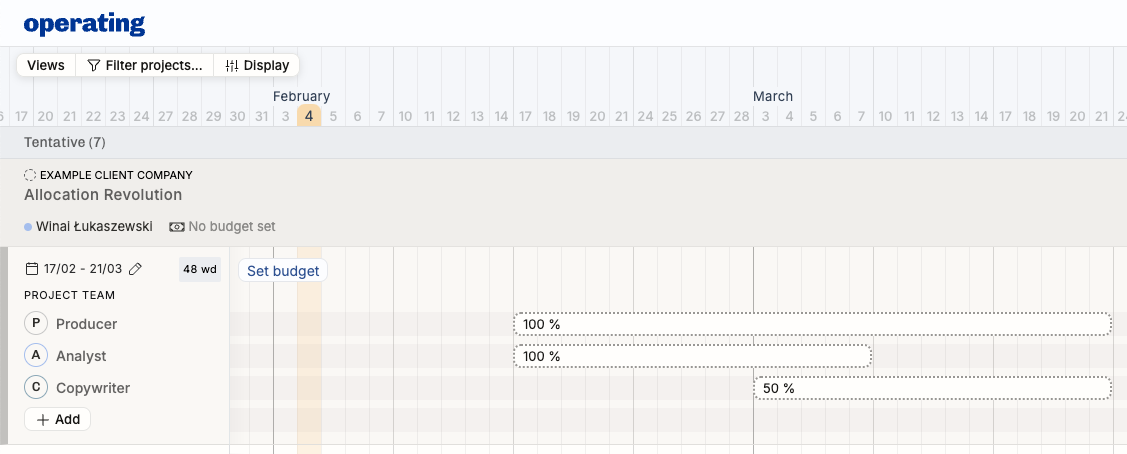
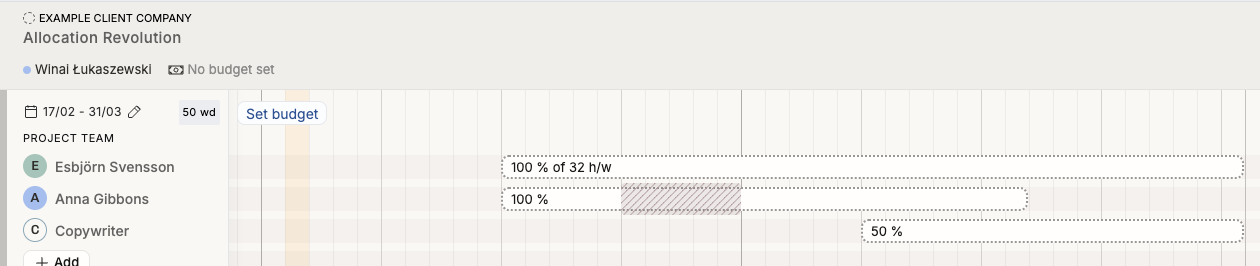
Now, we assigned Esbjorn to the Producer position: he only works 32h/week, and that’s instantly visible on the work effort – and you might also notice that the total work day counter changed to 43 days.

What is likely going to happen here is if the project requires closer to 50 work days of effort, having Anna and Esbjorn in the team is not ideal. However, if the project timeline can be a little bit longer, then simply stretch out the allocation blocks and end up with this:
Example 2: how much work does a person have?
Day-by-day visualisation on Timeline – case Anna
Continuing from example 1, let’s look at Anna on the People side of the Timeline.
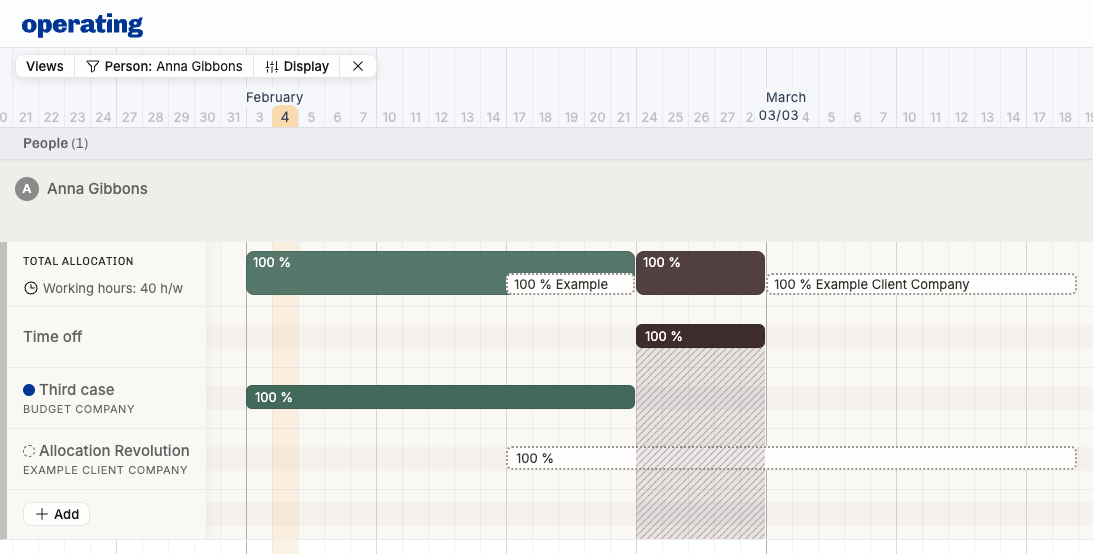
What’s visible here:
Confirmed 100% work from the beginning of February until the 21st
Tentative 100% work from 17th of February through 18th of March – the project we planned in example 1
Time off from 24th through 28th
A month summarised in Capacity – case Anna
When we look at her February in the Capacity report, this is what we see:
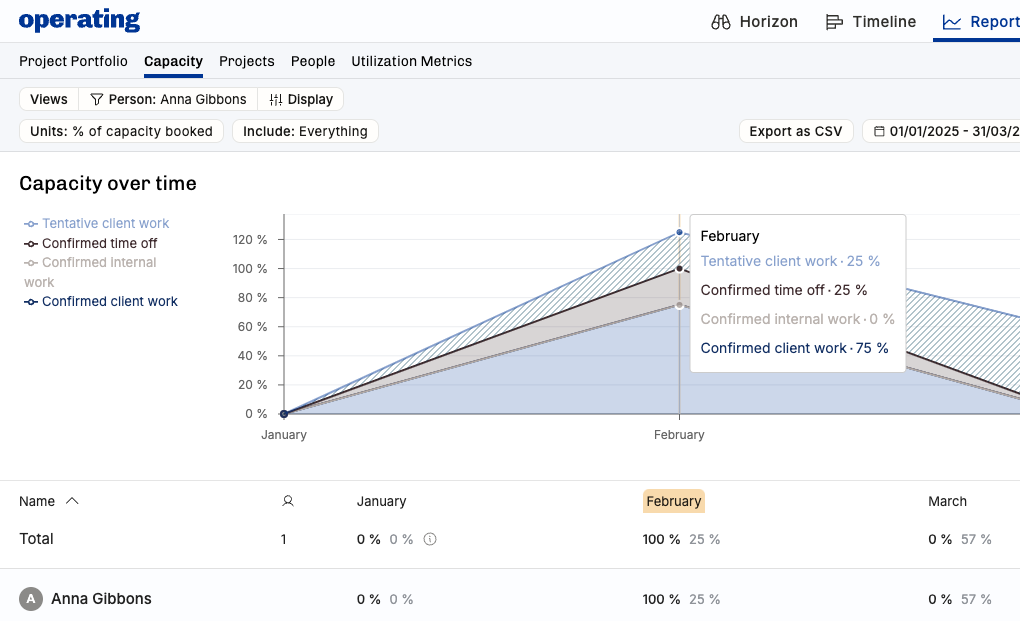
100% of her available time is booked to confirmed client work
The week of Time Off is not considered available, we assume she won’t be doing work when away
25% of her time is confirmed Time Off
She also has 25% of tentative client work – the third week of February. Now, if this would be confirmed, she would be at 125% of capacity, probably very difficult to do the 200% of hours on that double-booked week.
The week of Time Off is not considered available, and the tentative booking overlapping with the holiday is ignored
Whether the week of time off leaves Anna's available time depends on the Removes from capacity switch on its time off category. If the switch is turned on, the week is taken out of her available time, as above. If it is off, as in the default Time off category, the week stays in her available time and shows as booked time off. The overlapping work is ignored in both cases.
Extreme Time Off behaviour – case Akira, time off
This is how less-than-100% time off (50% off on the third week of February) works:
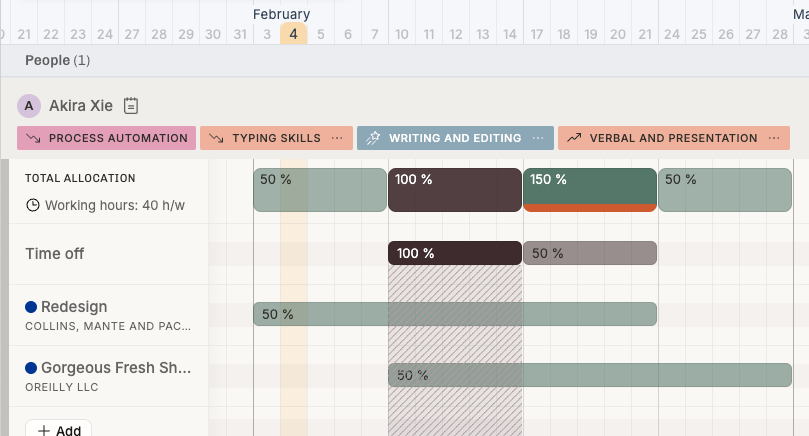
The second week works just like Anna above – all of the work overlapping is ignored, Akira’s simply 100% away
The third week is different: as he’s 50% away, we don’t ignore the overlapping work, and calculate the third week to be 50+50+50 = 150% booked
Here, stop to consider: is he really 50% away Monday through Friday? Or is he away Monday-Tuesday-Wednesday morning and back at work Thu-Fri? Would that make more sense, timeline-wise?
This is what Akira’s February looks like in the Capacity report:
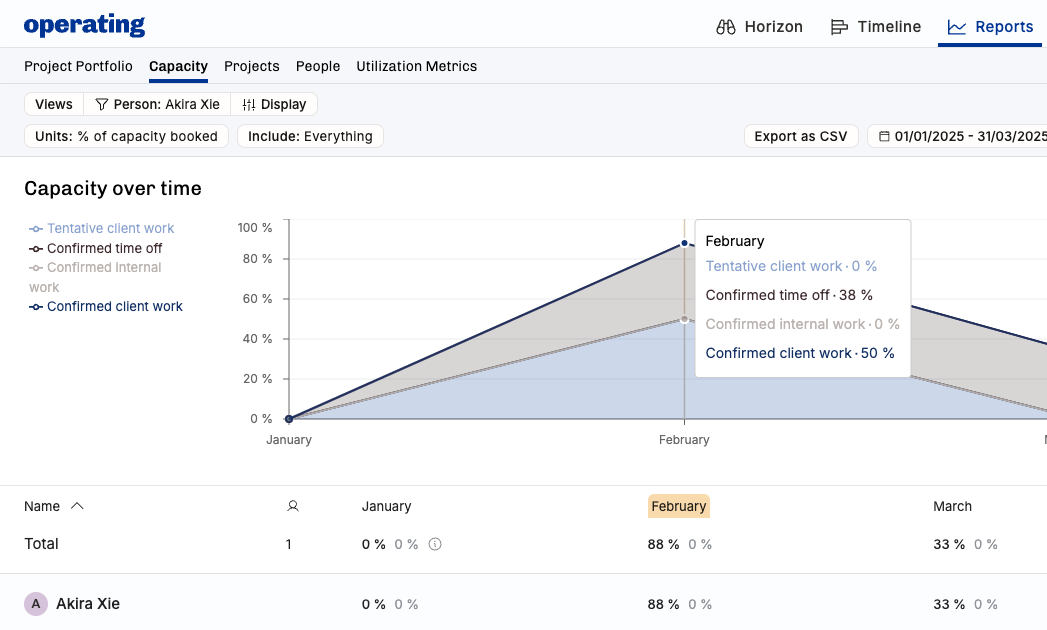
This may feel counterintuitive at first, but this is how Operating thinks about it: Akira’s almost fully booked on average in February, landing at 88% – that’s true, because of the full week of time off and the 100% week of two project on week three, even if he has that 50% time off in there
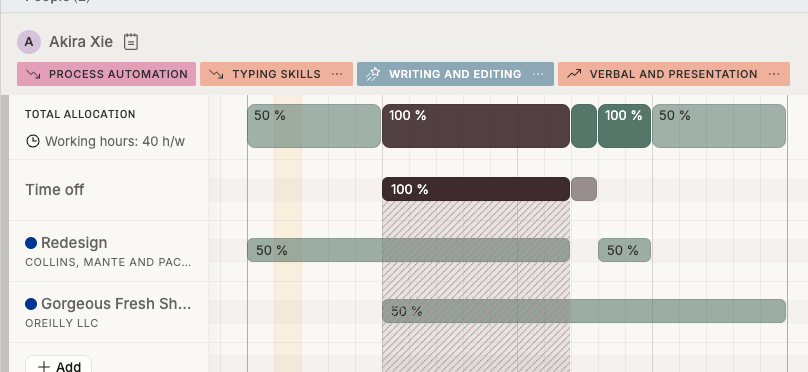
Case Akira, time off adjusted
Here’s what happens if the week of 150% bookings is fixed: he is indeed away for the first half of the week, and the client projects are prioritised like this: he’s focusing his Wednesday afternoon on the OReilly project:
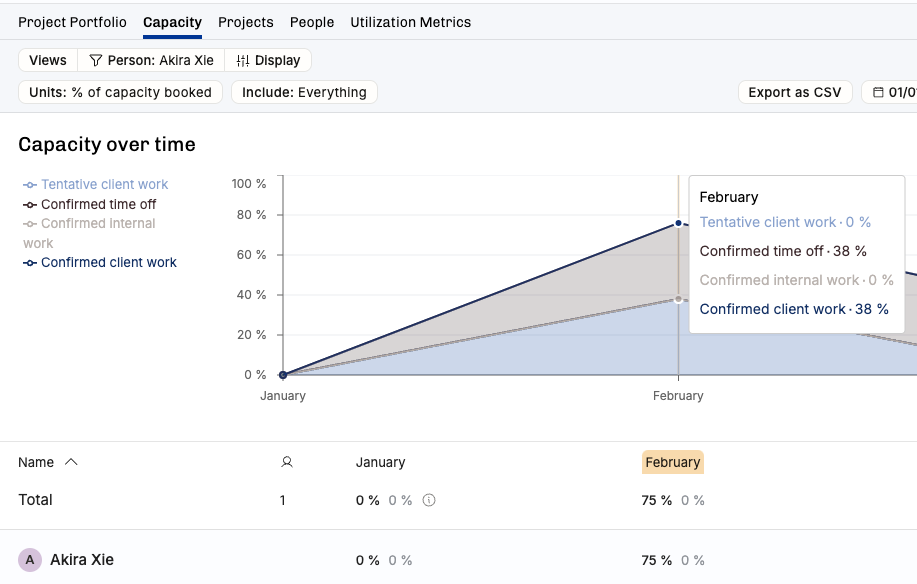
This is how these adjustments affect the Capacity report:
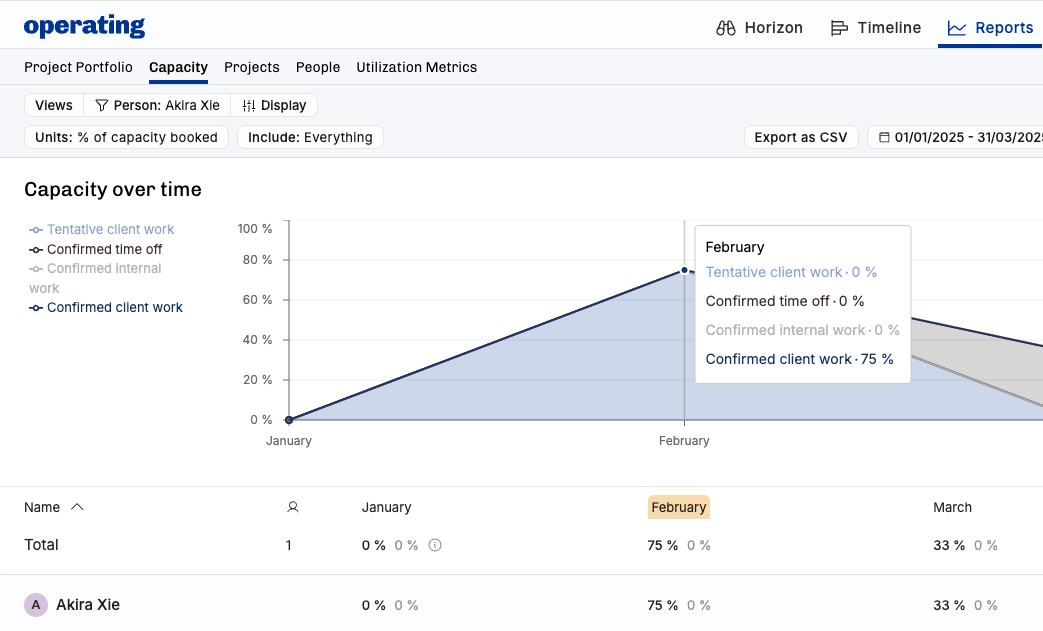
Case Akira, time off canceled
If we remove the holidays from the picture, here’s the Timeline:
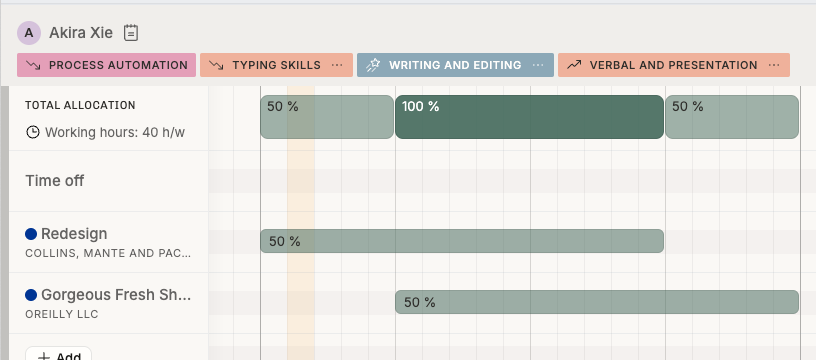
And here’s the Capacity report:
This is a rather complicated topic and we’re always open for ideas and feedback at support@operating.app – thanks in advance!
Was this helpful?
Still need help? Ask the team