A fistful of improvements
We've been busy shipping improvements to make Operating.app work even better for you. Here's what's new:
New sidebar navigation – still in beta, going to be the default soon
Pin Any Page
You can now pin any page to your sidebar—whether it's a person page, project detail page, or client page. Customize your shortcuts to match the way you work.
Saved Views & Pinning
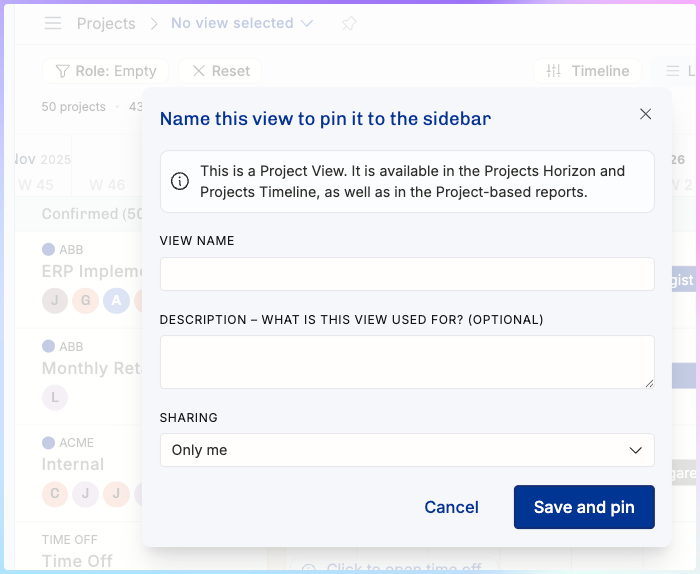
Pinning a page with filters enabled now automatically creates a new saved view and adds it to your sidebar navigation. Creating and accessing your custom views has never been easier.
We heard your comments about the new navigation not making sense at first, but once people understand how powerful the pinned items are, they see why it is so powerful.
Invoicing
Custom Invoice Schedules
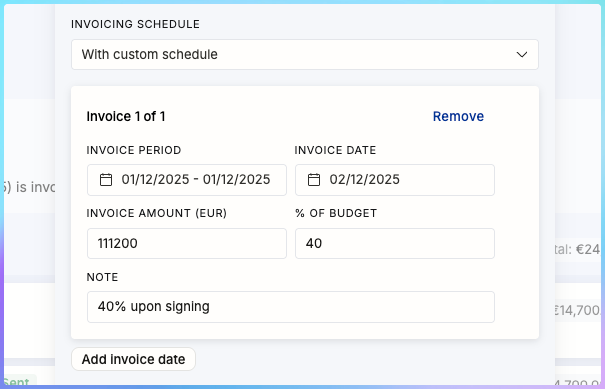
You can now create custom invoice schedules for fixed-price projects. Set any number of invoices with custom amounts and dates—perfect for projects with upfront payments or non-standard billing arrangements.
Credit Note Management
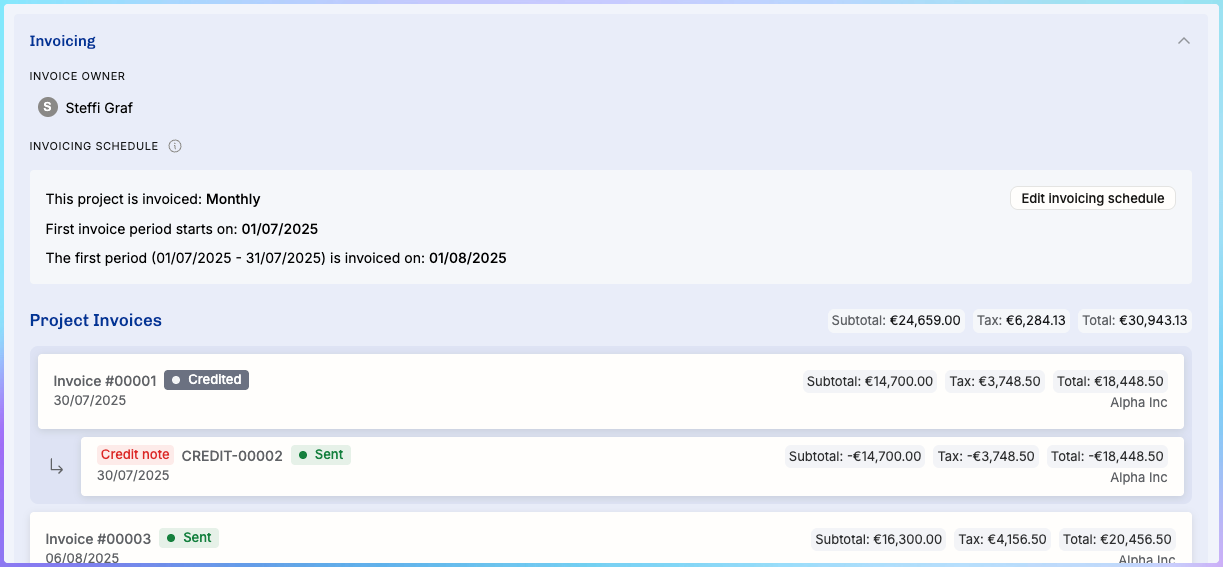
Credit notes now clearly show which invoice they're related to, making the whole invoicing experience much more transparent and easier to navigate.
HubSpot integration, version… 3? 4? (It keeps getting better)
Three important additions to the automatic import.
1 – Client (the client company in Operating) from any Company field in HubSpot
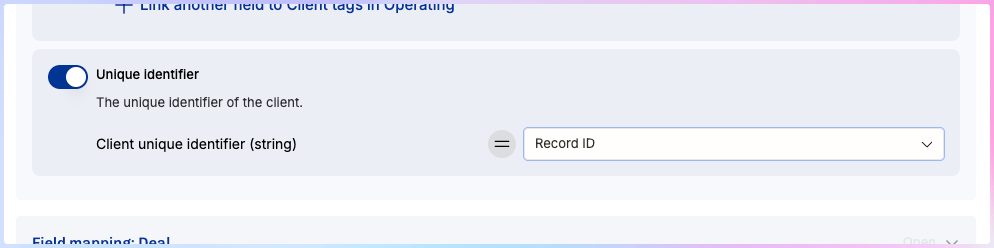
This is a long-awaited improvement to our HubSpot integration: you can now bring the company Record ID or any other field to Operating.
2 – Company (one of the companies you run) from any field in HubSpot
If you happen to have multiple companies, i.e. your business in the Netherlands and Denmark separated in Operating, you can now bring that piece of information with the Deal to Operating.
3 – Project’s unique ID from any field in HubSpot
Last but not least – you may now import the unique identifier you use across systems from the CRM into Operating.
Other quality-of-life improvements
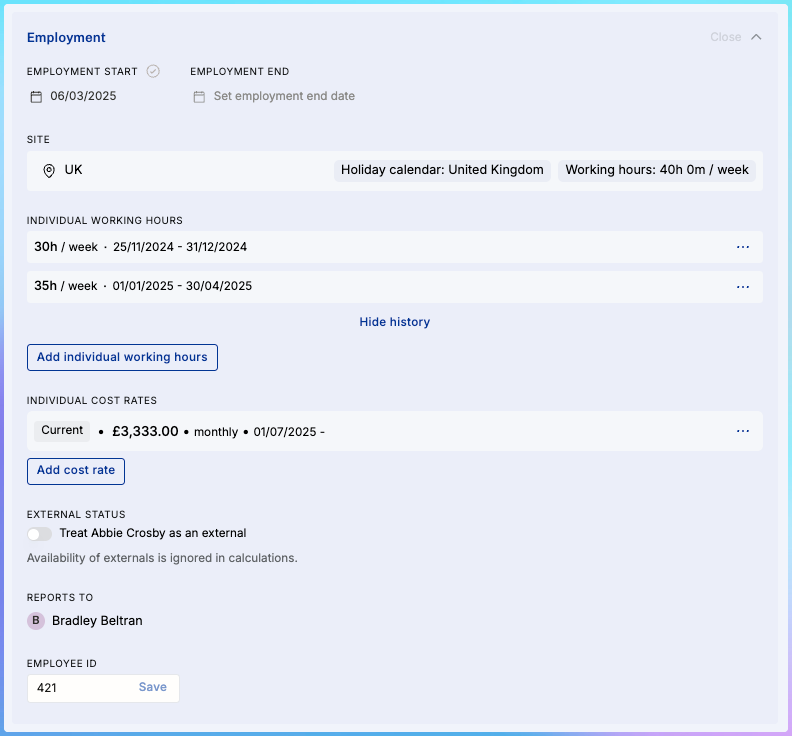
Employee ID Field
Every person in your workspace now has an Employee ID field. You can edit it on the Person detail page, access it via the API, and it's automatically included in all people-related CSV exports. Operating is not a full-blown HRIS, but for smaller companies, it’s not that bad:
Gross Margin Visibility
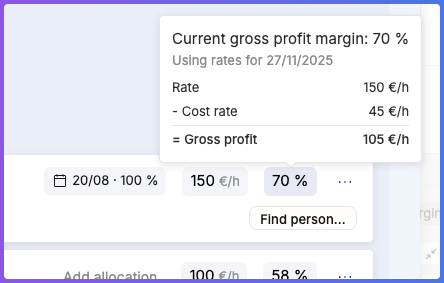
Current gross margin is now visible for each position on the project detail page, making it easy to see profitability at a glance. Hover over the gm% number to see how it’s calculated.
Enhanced CSV Exports
Both position and project exports now include more columns. Position exports include work start/end dates, project groups, and allocation details. Project exports now include unique identifiers, project numbers, deal IDs, and budgets. Time entry exports contain employee, project, and client IDs as well as the external IDs you likely use to match things in payroll, etc.
Project Burnup: how old is this data?
The project burnup graph now displays the last refresh timestamp when you're using time tracking data from Harvest or other third-party services.
Pagination (infinite scroll) for very long lists
We’re embarrassed to admit that until today, some long lists got capped at 400 items. That’s no longer the case and if you have a pile of people, projects, or positions, you can see the numbers for the entirety and as you scroll down, we dynamically load more items.
Mark time entries invoiced – even if you don’t invoice in Operating
With the Time Entries directory, you’re able to edit multiple time entries in bulk, including the option to set them as “invoiced”. Super useful if you just track time in Operating but handle the invoice creation in another system. Note: there’s no undo. Once they’re invoiced, they’re set in stone.
Approval Flow Controls
Approval flows now include an option to disable self-approvals, ensuring proper oversight when project managers need their time tracking entries approved by someone else.