Control access with more granular permissions
When you have different business units and a handful of different user groups, one thing you must get right is the balance between transparency and access control.
We grew up working in companies that take pride in being open and transparent. However, even those consultancies we helped grow faced situations where some things need to be kept secret due to client confidentiality. Also, their headcount and geographical spread has grown so much that showing everything to everyone by default no longer helps them get the job done.
We took our time before implementing all of the critical permission controls – let’s take a tour.
Toggle which parts of Operating are visible
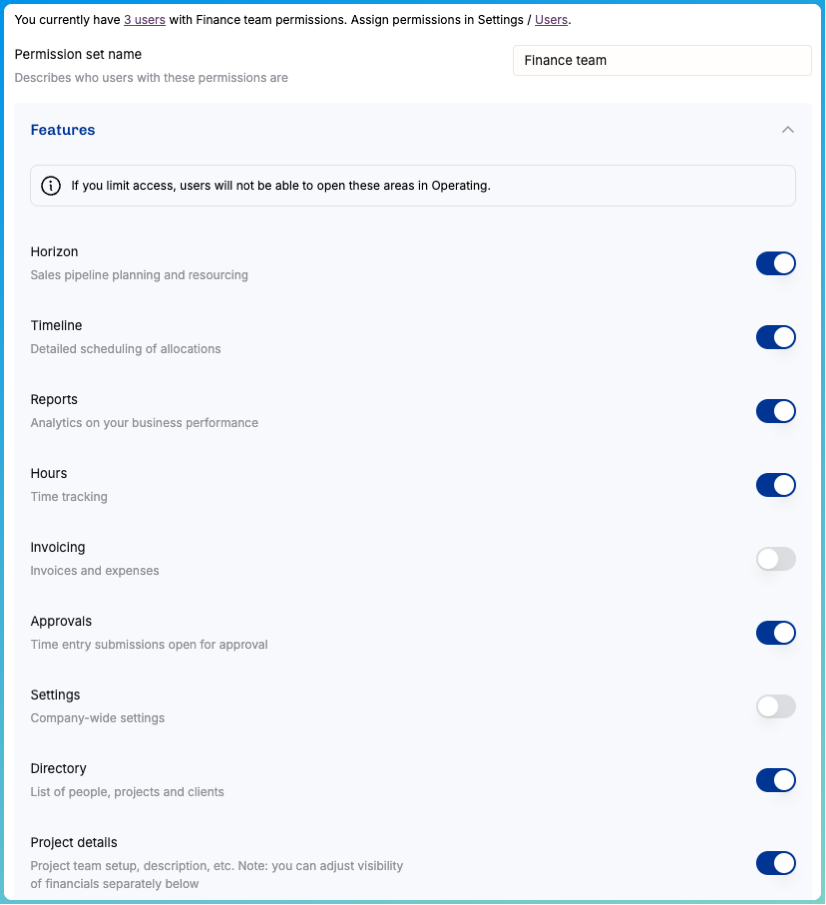
We’ve built a robust ops app, and it means that for a consultant, some parts of it are just too much information. To protect people from the overwhelming feeling of “do I really need to learn all this” (answer: you don’t), we now give the admins an option to hide many areas.
There’s a caveat here: if you hide too much, some of your users might get the impression that Operating isn’t able to much. We encourage you to grant access to the Horizon, because that’s where you can see into the future of what the sales & staffing pipeline holds.
People permissions
Who can you see? Of course, if you’re the COO, you want to see everyone.
We now support granting visibility based on project membership or ownership. If you have people reporting to you, you will always see them and their details.
You may now also invite your subcontractors and freelancers in to one of your teams and give them very limited access – just enough for them to follow the plan and track the hours and be done with it. Effective and secure.
Project & client permissions
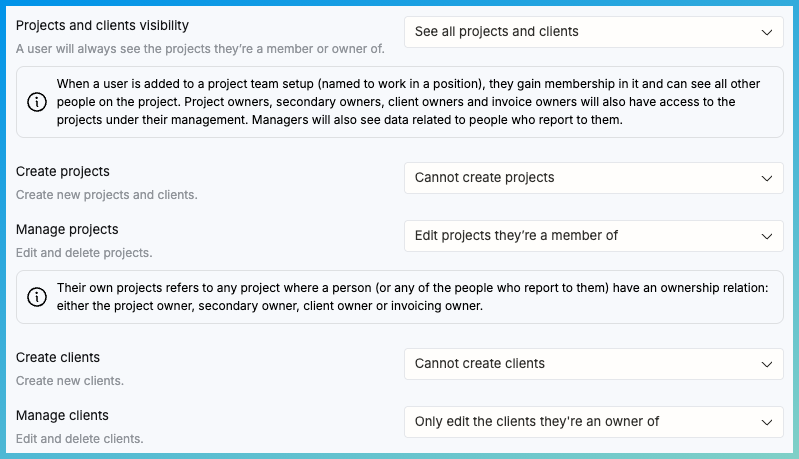
We doubled down on the position concept: as before, you become a member of a project team when your name is selected to a position. With a position assignment you now gain access to the project, even if you would not see it otherwise.
There’s a lot of control for you over which projects and clients are visible:
Positions, allocations and time entries
All of the more detailed things related to work can now be controlled as well. As a manager, you want to have access to your team's positions – whether or not they’re a part of a project. As a consultant, you may have access to edit your own allocations within the context where you’re staffed – but should not take too many liberties adding yourself to projects without asking first.
Time entry data is of course full of sensitive information, and you can control what’s visible and what’s not. You can also choose who can edit others’ time entries – and are edits allowed after the approval flow has been processed.
Financials
We know that it’s one thing to see a project and to see the revenue & rates related to it. And even if those would be internally available information, costs (including salaries) are very rarely open to all. The financials access control allows you to adjust these independent of project visibility.
…and the rest
We’re not going to elaborate each and every setting here, so check it out for yourself!
Thanks for reading this far.