Filtering changes now live
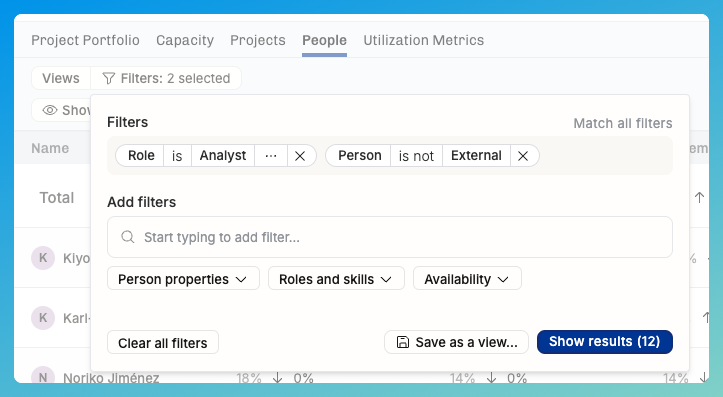
In the previous newsletter, we explained the before-and-after of filtering. The improvements are now live, repeating the main points here.
Availability is a new filtering criterion in Timeline and Reports
You can finally focus exclusively on "who's 50+% free in next 2 months"!
The date range and availability % are now included in Views
It's a good idea to see if your Views are handling these new criteria exactly as you'd like – and if not, make the necessary changes and save the edits. The shared Views will be saved for everyone.
Reports show things more predictably – no more implicit hiding!
Project-based reports (Portfolio, Projects) always show all work
In the Portfolio, everything with tentative or confirmed plans
Even the archived people that had work in the date range
In the Projects, all plans and every project that has time tracking actuals
People-based reports (Capacity, People, Utilization Metrics) show all of the relevant people
Your own employees that have active employment and are not archived
Even if they don’t have plans but have time tracked in the time range (actuals)
You can include/exclude Externals whenever you're filtering people
Externals' visibility is controlled by two personal view option toggles:
Show externals who don't have work: in Timeline and other places – same as before, but now a personal setting.
Show externals by default when hitting the Suggest button
Turn these settings on if you're routinely finding work for your externals. Keep them off if your primary focus is on the people on your own payroll.