Handling of internal and non-billable people and work
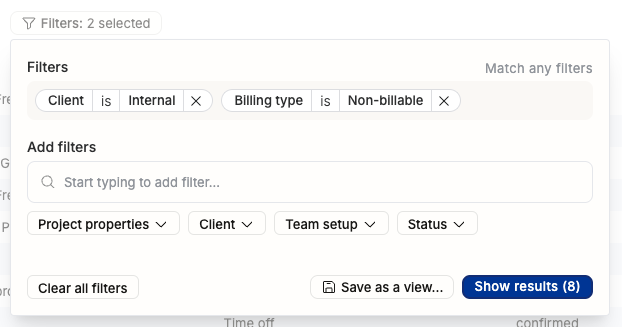
Starting now, your internal projects are no longer assigned to Groups as clients. That was confusing and the new way is easier to understand:
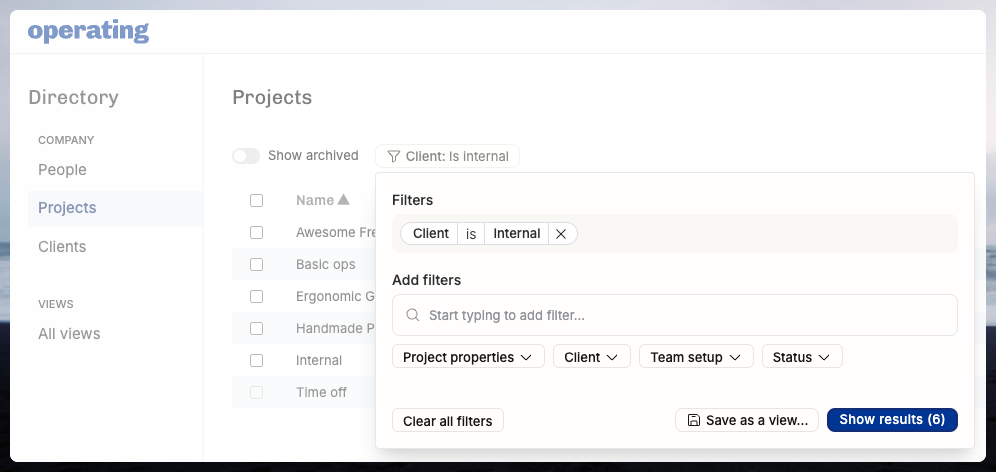
Your directory now has some new Clients, which have been created from the earlier group-clients. Those clients have the same name and in their details you will see the internal: true setting. Find all of the projects in the Directory filtering like this:
Starting from today, you can also create non-billable projects for Clients.
Here’s a real-life use case of how that works: tracking all the non-billable proposal work we do for Alphabet. In this fictional example, they are an important client to our demo consultancy, and they require us to participate in all kinds of pitches and RFP processes. We want to plan those efforts so that at the end of the year we can see how many days were spent doing all of that non-billable but important work:
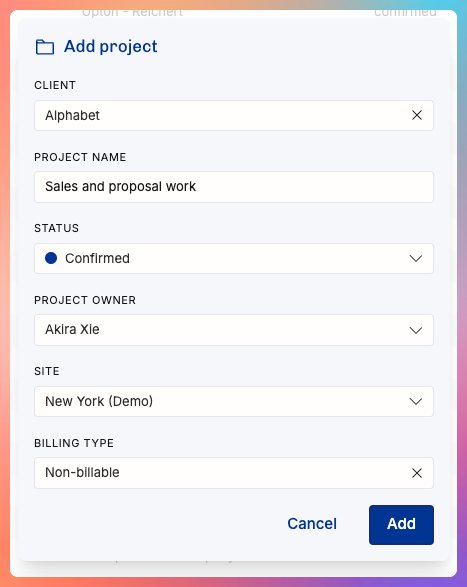
You can set the billing type here or later in the Project Details.
All of the details about internal and non-billable roles, clients, and projects are in this help document.
Permissions update: decide who sees which parts of the app
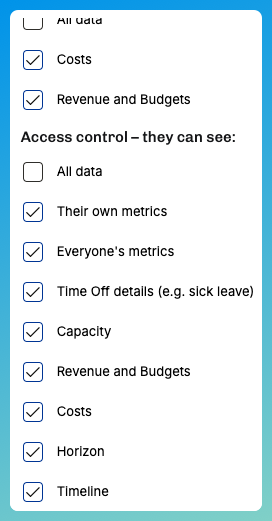
You can now decide to limit access to money-related things (revenue, budgets, costs) and the main areas of the app (Horizon and Timeline) with the Permission sets in Settings.
We’re planning a more granular controls for access and visibility. If you have strong feelings about this and would like to contribute to our planning, have a look at this Roadmap item here and add your comments – or email them to support@operating.app if you prefer to do so.