Lock timesheet -> approve before invoicing
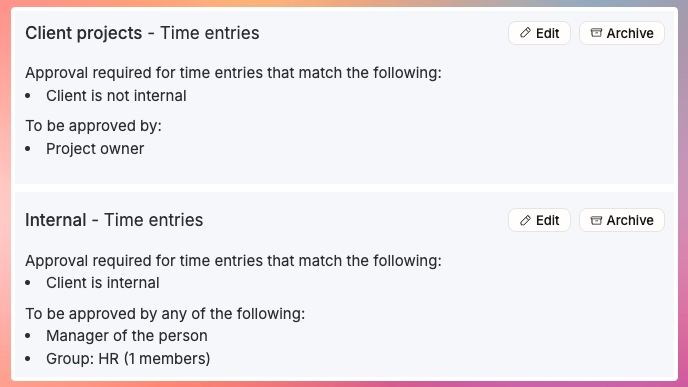
In many projects and organizations, time entry approval is a huge deal. Without it, a project manager or a team lead might not know when too much or too little time has been tracked.
In Operating, locking timesheet until 22th of August means that from the consultant’s perspective, all the days including 22th are now done – unlikely to change.
If any time entries in the timesheet are in an approval flow scope, the Approvals tab for the people responsible for approvals see them and should have a look.
If the time entries don’t require approval, they get auto-approved and are ready for invoicing.
There’s no explicit “reject”. Instead, we give the approver or the consultant the ability to edit locked hours. Either of them can fix them using the Hours UI or from the Directory > Time entries.
This is a lightweight implementation of something that could grow extremely complex – we feel that we don’t need to go there.
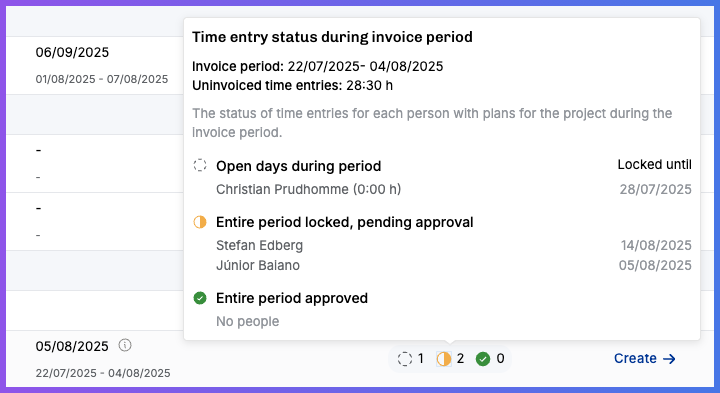
The lock & approve mechanism may irritate some people, but have a look at this – the end-of-month circus of finding who has entered their hours and who’s still pending turns into a breeze:
Read more about it → https://support.operating.app/help/articles/4843224-approval-flows
Coming up next
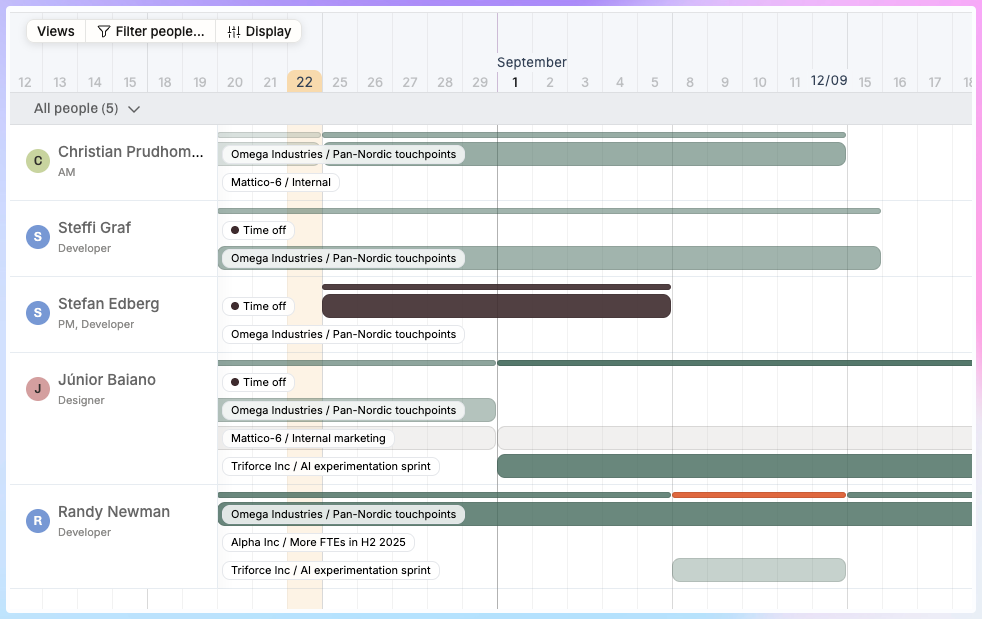
Beta release – compact view of all projects in Timeline, here’s a sneak peek:
Unique id’s for projects and clients – automatic numbering in Operating and bring-your-own-id from an ERP or what have you.
Flex hours calculations for time tracking – see how much plus/minus you have.
Even more permission settings – we heard your feedback, and are happy to add more!
Tell your friends
Do you have friends (or enemies) working in consulting companies that struggle with complexity? Send them this link and have them evaluate whether or not their business could be simpler with Operating 😎
→ → → https://www.operating.app/simplify
Thanks! Enjoy the weekend.