Opt-in to new Project Details Page! Massive MCP Expansion! Cost-to-Cost Revenue Recognition, Time Entry Rounding, Invoice Currency
At a Glance
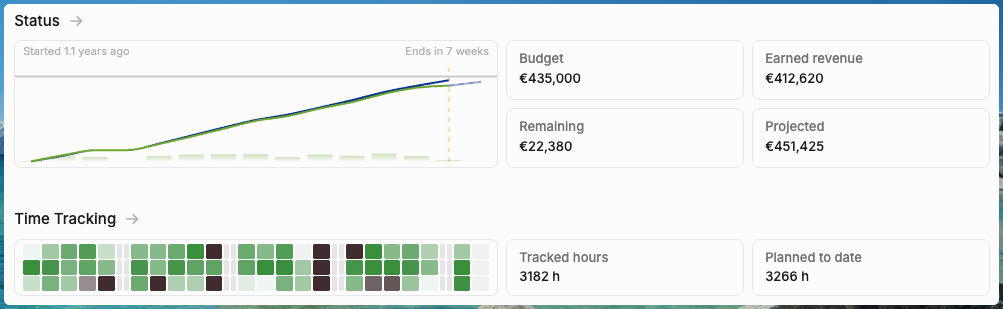
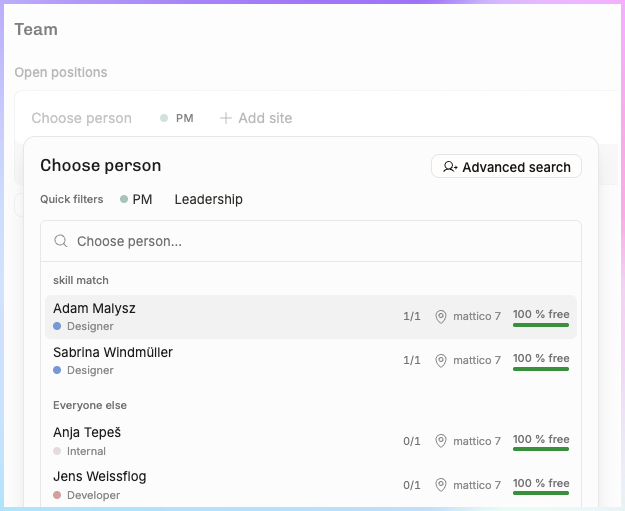
New Project Details page going live for everyone next week –– tabbed instead of the log accordion. Opt-in to see it today at Settings → Beta features. Lots of improvements in this one, such as the new “Choose person” suggestions:
Cost-to-cost revenue recognition — Fixed-price projects can now recognize revenue based on cost completion percentage
Time entry rounding — Round time entries up to the nearest increment, configurable org-wide with per-project exceptions
Invoice currency override — Set a different invoicing currency per project, independent of the project's operating currency
Cost visibility — Cost values on time entries, cost rates in exports, and employment date-aware utilization calculations
MCP server expansion — 17 new tools covering projects, budgets, expenses, positions, and reference data
Planning improvements — Move positions between projects, task permissions for project managers, phase grouping in time entry lists
Exports & filtering — All project list columns now exportable to CSV; deal probability filtering on the Horizon
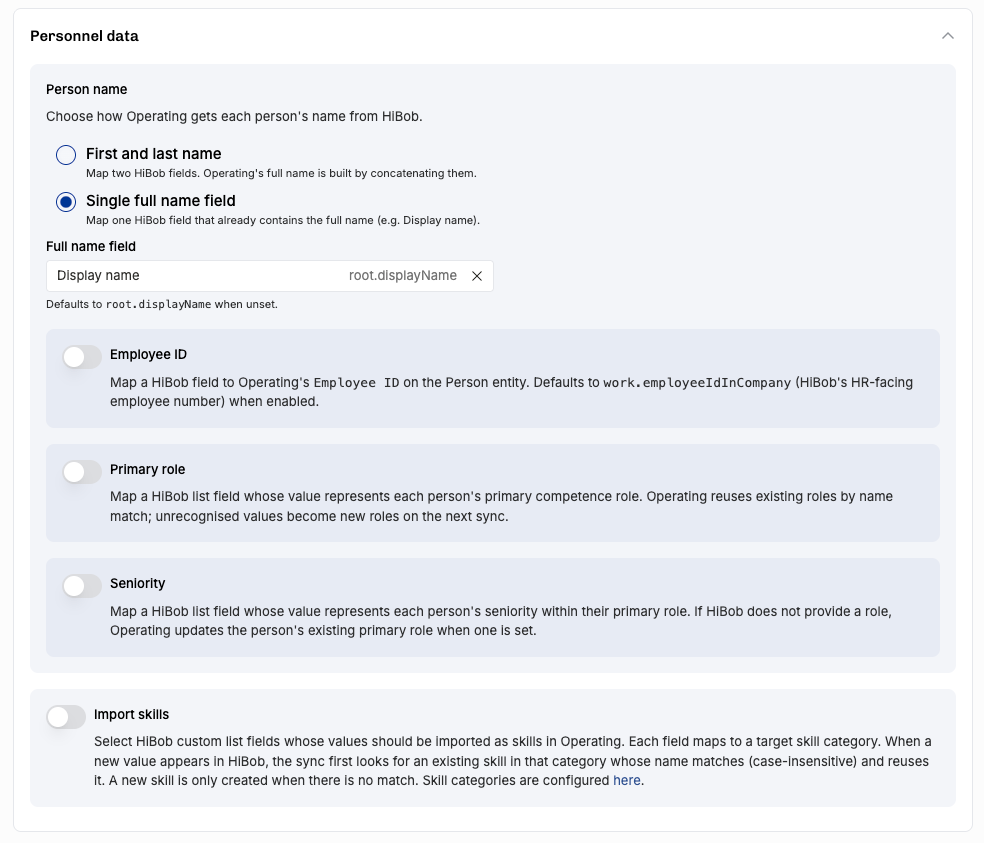
Our HiBob integration now imports employee IDs, skills, groups, and more
Coming soon: tabbed detail pages! Capped T&M billing type!
Cost-to-Cost Revenue Recognition
For fixed-price projects, Operating now supports the cost-to-cost method — revenue is recognized in proportion to costs incurred vs. total budgeted cost. If you've spent 60% of the planned costs, 60% of revenue is recognized.
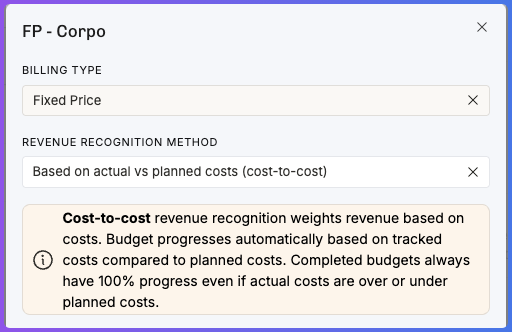
This is a standard method under IFRS 15 and ASC 606, and it's particularly useful for projects where effort doesn't map linearly to milestones. Revenue recognition updates automatically as time entries and expenses are logged.
This one is still behind a feature flag, so if you’d like to use it, reply to this email. Thanks!
Time Entry Rounding
Round time entries up to the nearest increment — 5 minutes, 10, 15, or 30 minutes.
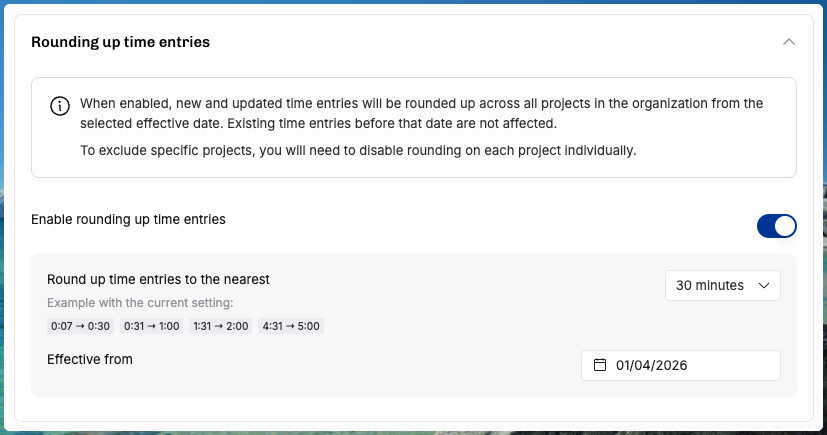
Organization-wide default. Set a rounding rule that applies to all projects. Consultants log their actual time; rounding is applied for billing and reporting purposes.
Per-project exceptions. Override the org default on any project. Some clients negotiate exact-minute billing; others expect quarter-hour increments. Both are now supported without workarounds.
Settings UI. A clean interface in Settings → Time Tracking to configure rounding, with the project-level override accessible from the project settings page.
Invoice Currency Override
Change the currency of an invoice at creation time. Sometimes the project runs in one currency (e.g. DKK for a Nordic engagement) but the client wants to be invoiced in another (e.g. EUR). You can now set an invoicing currency per project. All operational work — rates, costs, budgets — stays in the project currency. The invoicing currency is remembered per project so you only set it once.
Cost Visibility
Three improvements that make cost data more accessible across the platform.
Cost value column in time entry lists. The time entry list now shows the total cost of each entry (hours × cost rate), not just the cost rate. When grouping time entries, costs aggregate — giving you a quick read on how much a sprint, a past month, or person actually cost.
Cost rates in time entry exports. CSV exports of time entries now include the position-specific cost rate. If you're reconciling in Excel or feeding data to an ERP, the cost dimension is now included without a separate lookup.
Employment dates in utilization calculations. Utilization percentages now respect employment start and end dates. Someone who joined mid-month is no longer penalized with a denominator that assumes they were available the entire period.
Credit Notes
Free-form credit notes for a project. You can now issue credit notes against a project — useful for corrections, goodwill adjustments, or partial refunds. Credit notes are tracked alongside invoices in the project's financial history.
MCP Server Expansion
The Operating MCP Server — the AI integration layer that lets Claude and other LLM tools read and write Operating data — gets 17 new tools in this release. The server is now comprehensive enough to handle most day-to-day resource planning and financial management tasks through natural language.
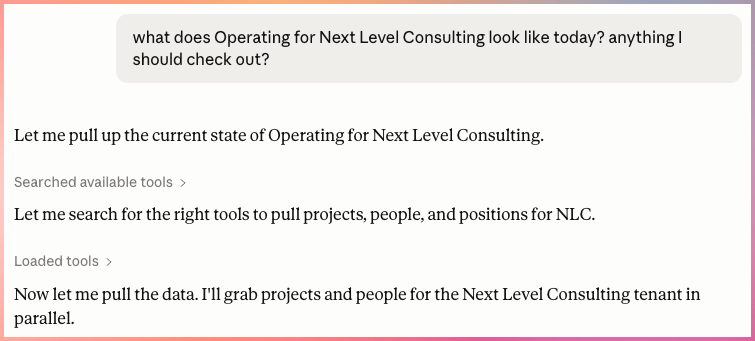
New read tools: Get project (with all positions, budgets, expenses, and phases), List companies, List project tags, List task lists, List rate cards, List expense categories, List expenses, List vendors.
New write tools: Create project, Update project, Archive position, Create/Update/Delete budget, Add/Update/Delete expense.
These join the existing tools for people, positions, allocations, time entries, and skills — making the MCP server a near-complete interface to Operating.
Planning & Project Management
Move positions between projects. Select one or more positions on the planning page and move them — with all their allocations — to a different project. Useful for project restructuring, splitting engagements, or correcting misassigned positions.
Task permissions for project managers. Users with "manage project" rights can now create project-specific tasks and adjust which tasks are used on their projects — without needing access to the global Settings page.
Phase grouping in project time entry list. Time entries on the project page can now be grouped by phase, making it easier to see effort distribution across project stages.
Exports & Filtering
All project list columns exportable to CSV. Every column available in the Projects list view is now available in the CSV export dialog. The dialog is more comprehensive, but you can simply ignore columns you don't need.
Deal probability filtering on the Horizon. Filter the Horizon view by the latest deal probability percentage — "more than 50%," "less than 20%," etc. You can also sort by probability. This lets staffing teams focus on the pipeline that's most likely to convert.
HiBob Integration got a lot Better
Sync more of your essential information. Handle names, IDs, roles and all that. If you’ve used custom list fields to manage skill information, you can bring those to your people in Operating as well.
Quality of Life
Internal roles documentation. Clearer in-app guidance on managing non-billable, internal-only people — using the non-billable role checkbox and keeping them in Operating for accurate overhead and utilization calculations.
Multi-archive projects. Select multiple projects and archive them in one action.
Coming soon
Capped T&M — for those per-hour projects that have a strict budget ceiling
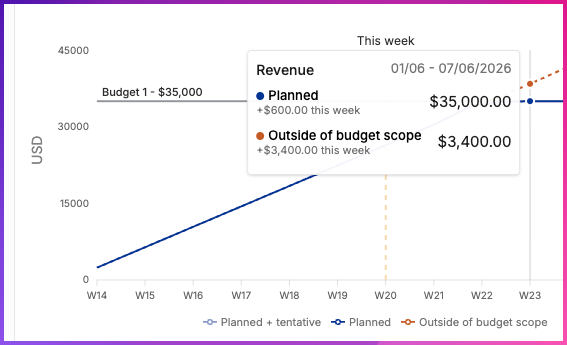
Project detail page (and person, and client detail pages) is going live for all users next Monday. Opt in today!
Month-end closing features for your colleagues in the finance team…