Working patterns, candidates, recurring allocations and new invoice reports
It's been five weeks since the last changelog, and the team has been busy. The highlights:
Working patterns. Four-day weeks and any other schedule, day by day.
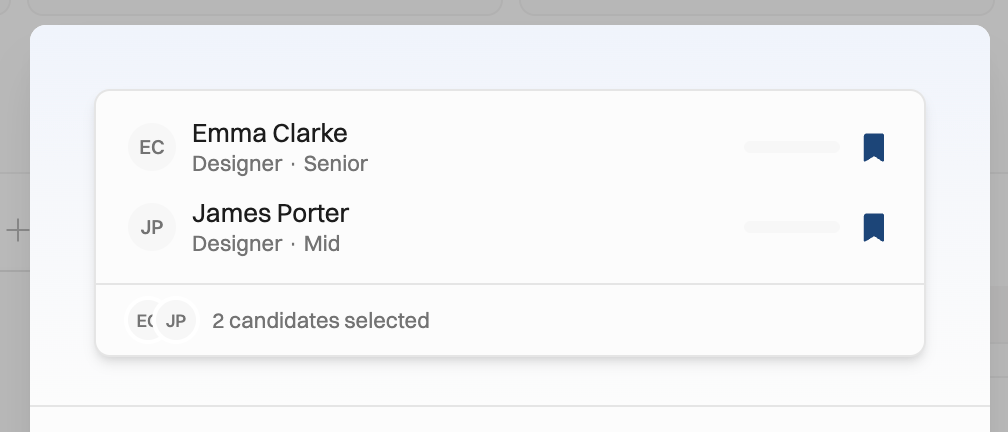
Candidates. Shortlist people for an open position before you assign the one.
Recurring allocations. Plan the weekly stand-up once, not fifty times.
Budget forecasts. See where a budget is heading, not just what's allocated.
Invoice reports. Two new PDFs you can send to your client as they prefer it.
The details, and everything else, below.
Working patterns are live
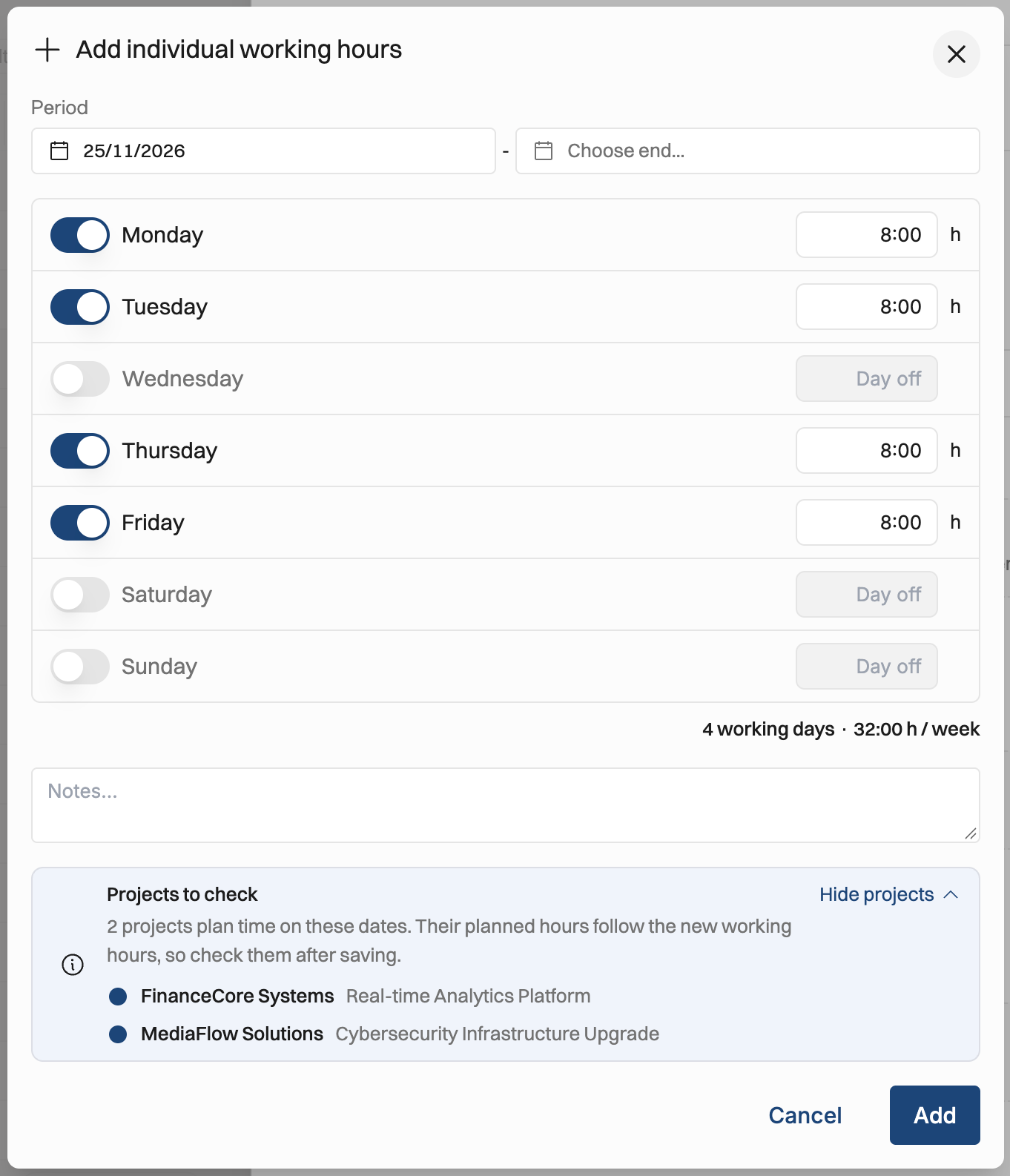
Promised last time, now shipped. Working time follows each person's working pattern day by day, so contracted time, capacity, rates and time off are right for people who don't work Monday to Friday.
Per-day working hours. Set individual working hours per weekday, in hours and minutes. A four-day week is just four days.
Site patterns with a history. Sites settings show each site's working pattern over time, with a per-day editor to change it from a date, correct it or delete a period. A new site starts with hours per weekday, and picking its parent site fills in the hours and holiday calendar.
Check before you save. Changing a working pattern or a person's site lists the projects with planned time on the days that change.
Timeline and Hours follow the pattern. Timeline shades each person's non-working days, and Hours expects each day's capacity. Timelines can show any set of weekdays, chosen in Timeline settings, and mark planned work on a hidden day with a dot.
Revenue follows working days too. Evenly recognized fixed-price budgets and retainer fees spread over the days your site works, not Monday to Friday.
HiBob users, please note: HiBob now imports working patterns for sites and people. On the first sync, HiBob's working hours replace any set by hand in Operating for people linked to HiBob, and from then on they're read-only in Operating. Fortnightly patterns import as the average of their two weeks. To bring in the full history, give the HiBob service user permission to view employment history.
Candidates for open positions
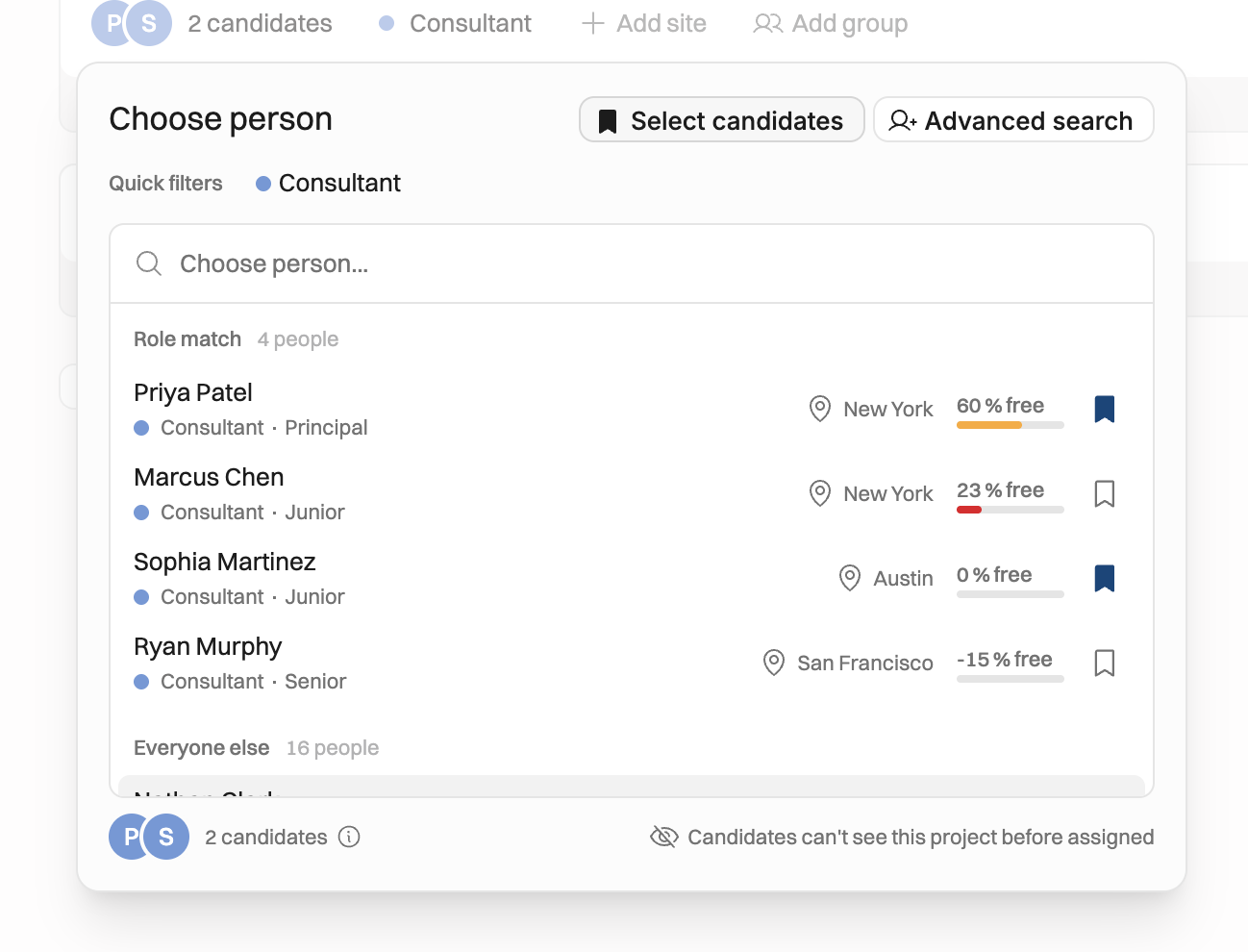
An open position can now have candidates: people you're considering, before anyone is assigned. Shortlist several, compare, and assign one once you've decided. A candidate can't see the project (unless they have permission to see all projects) and adds nothing to planned figures until they're assigned.
Shortlist from the project's Team tab, the project timeline, the edit position dialog, or Suggest on the positions list.
An open position shows its candidates' pictures on the Team tab, the timeline and the positions list. When you assign someone, candidates are listed first.
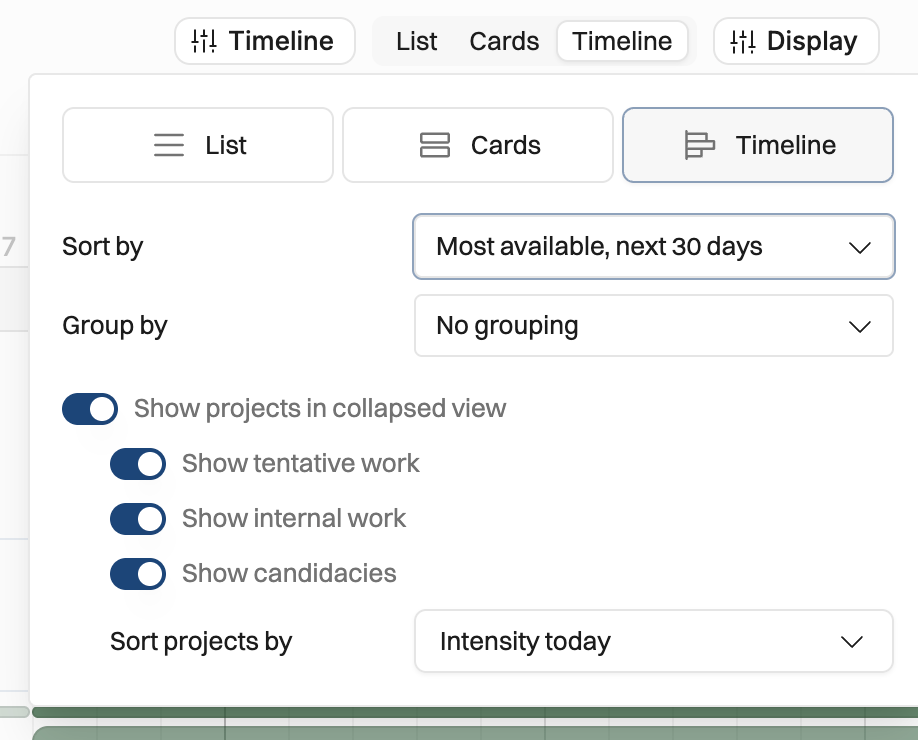
A person's open candidacies show on their timeline under "Candidate for", in the People list's Plans column and on their Overview.
If you’d like to see all of the candidacies and projects for many people at once, use the “show projects in collapsed view” from the People Timeline menu:
Completing or cancelling a project, or merging two people, settles open candidacies.
Candidates are in the public API, MCP and the position CSV export.
Recurring allocations
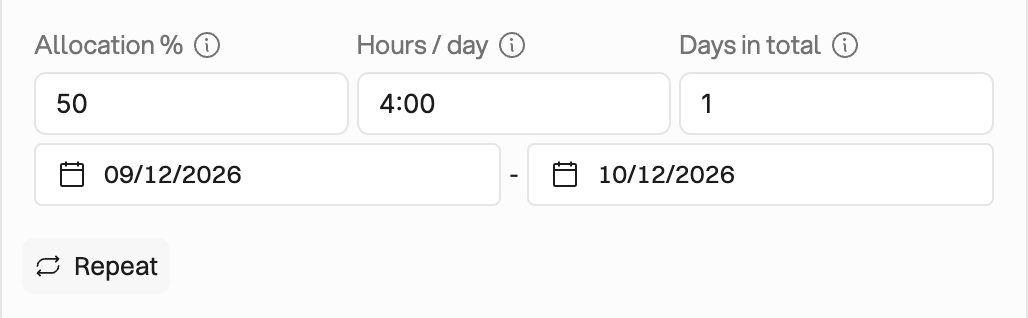
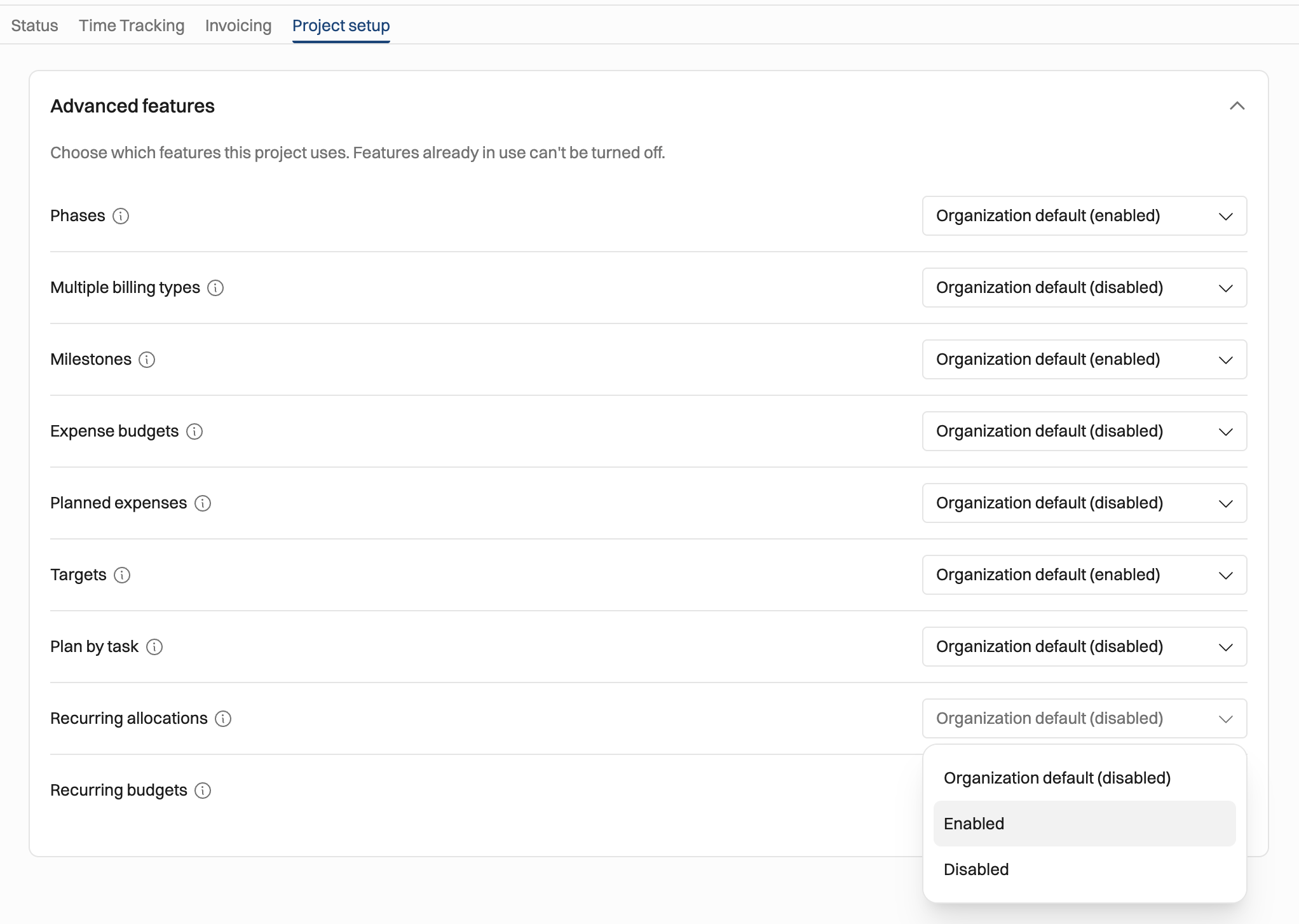
Repeat an allocation every week, two weeks, month, three months or year, on a date or on a weekday of the month (say, the first Monday). Edit or delete one occurrence, it and the ones that follow, or the whole series. Switch Recurring allocations on in Project setup to start using it:
Budgets show where they're heading
"% of budget allocated" only looked at future plans. Budgets now combine what's been tracked with what's planned.
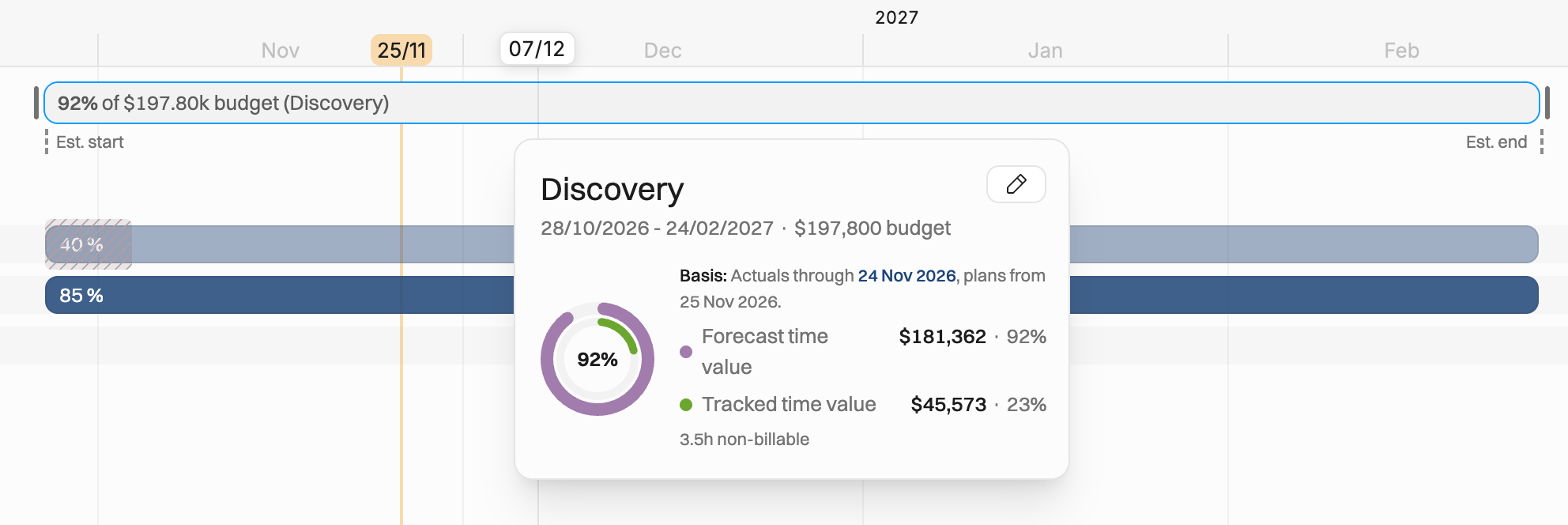
Budget bars on the project timeline show tracked hours and a forecast as a share of the budget, and warn when the forecast runs over it, even when the plan doesn't.
The budget card shows tracked work and the forecast of the budget under way, and what the forecast is based on.
The Status tab can count from a chosen date, with each budget counted at what was left of it then. Handy for a project that changed hands or was renegotiated.
"Outside budget dates" explains itself. The warning shows when the work and expenses happened, links to them, and says how to bring them into a budget.
Invoice reports your client can read
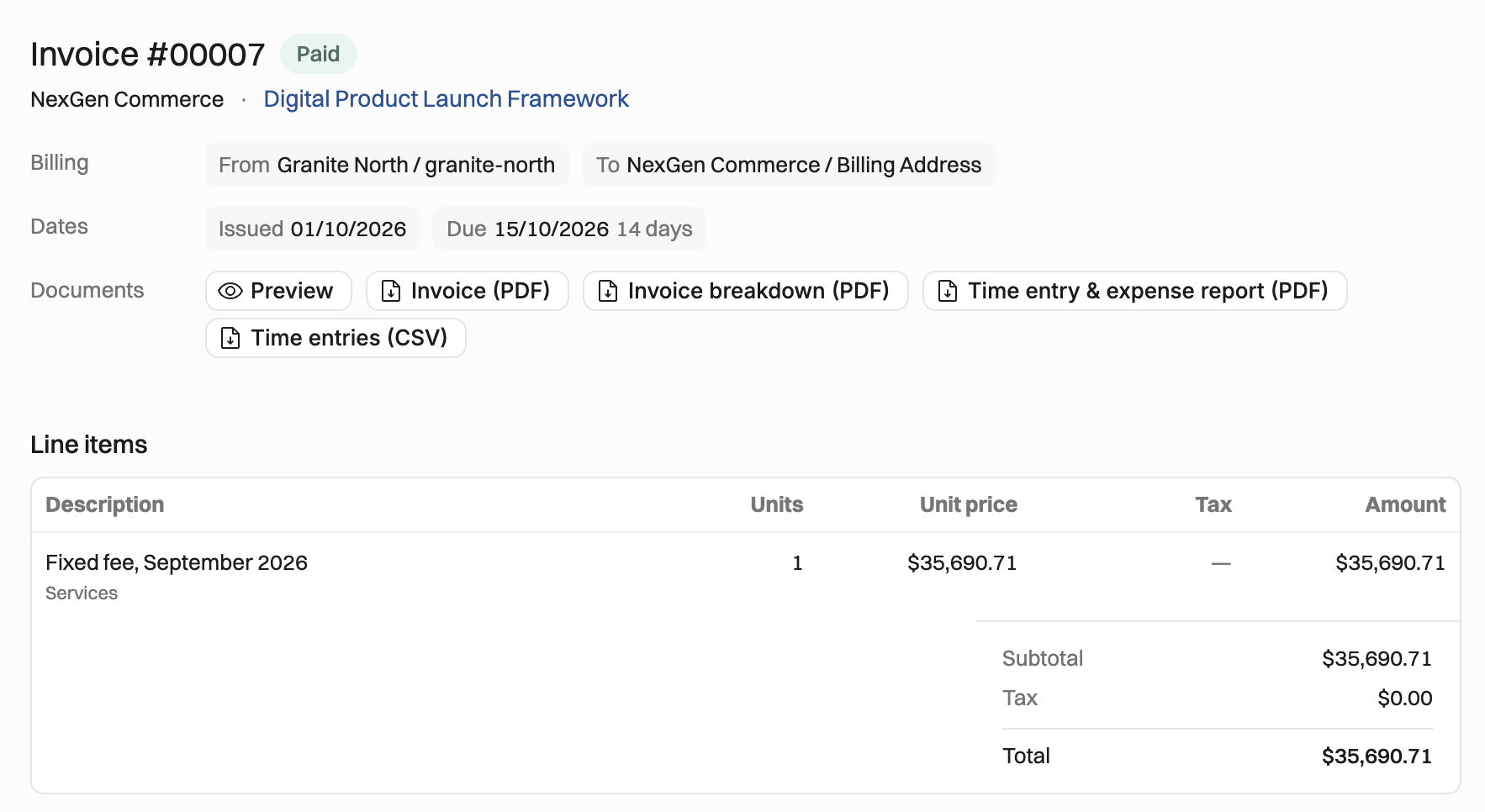
Two new PDFs on the invoice page, made to be attached to the invoice you send:
Invoice line items (replaces the work breakdown) can show the client, projects, invoice number, period, total hours and number of expenses. Taxes are left out by default.
Time entry & expense report lists every time entry and expense, grouped, summarised and totalled the way you choose. Also available per project from Active Projects. Rates and values show only to people who can see revenue.
Each company names these reports in its invoicing settings, and you can rename them for a single export.
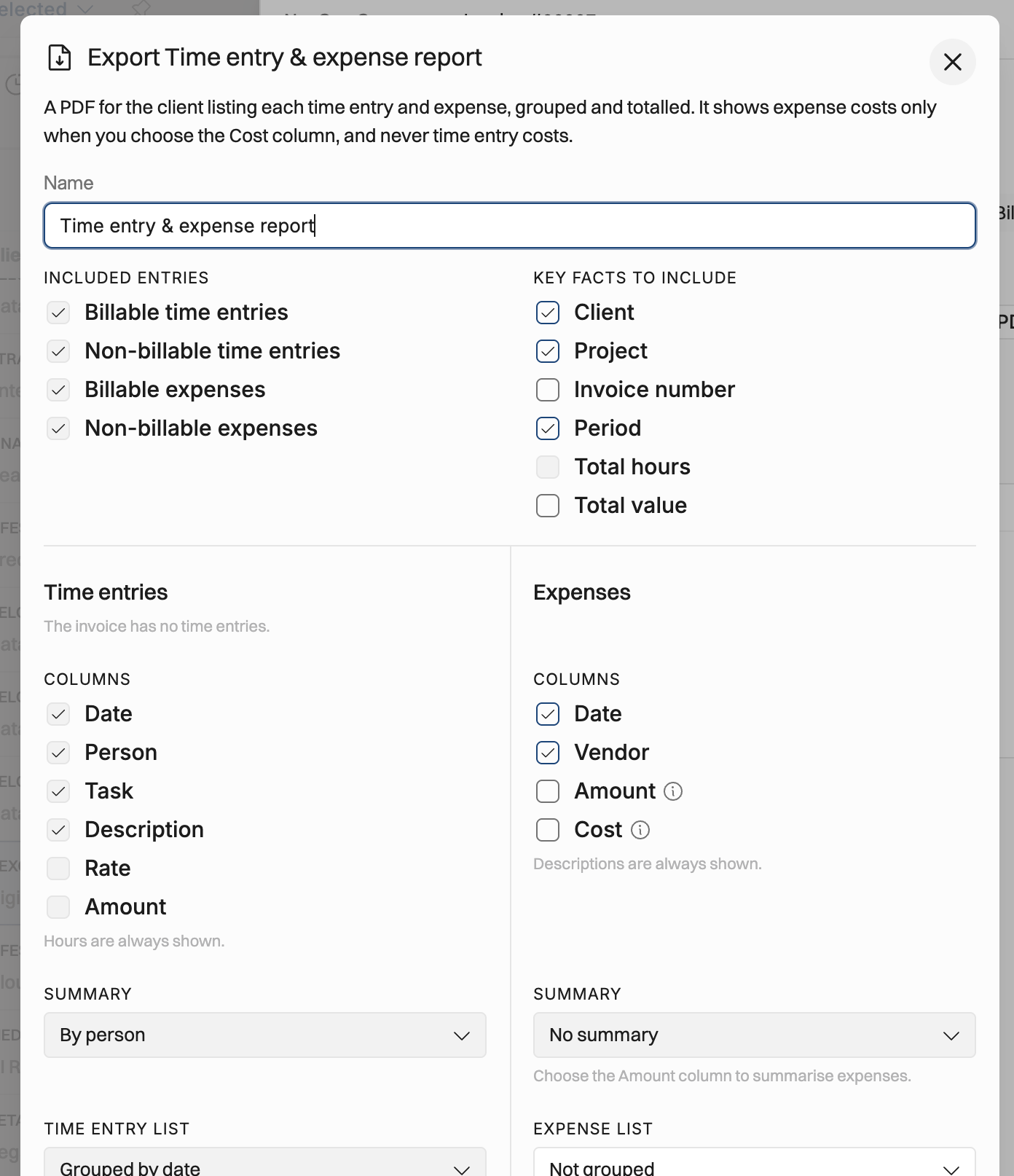
Time entry CSV exports got the same care: choose the columns, and cost and cost rate stay out unless you pick them. Rows can be grouped with subtotals and a total, and there are new columns for decimal hours, rounded hours, the person's role, site, company and groups, the position's role and the project's site.
Revenue recognition refined, and in your control
New fixed-price method: Automatic, as tracked. Revenue follows tracked time at hourly rates until the budget amount is reached, and any remainder is recognized at the budget's end. This is how most teams coming from Harvest already do it.
Methods are picked from cards, each saying when to use it, with details and a worked example a click away. Your organization can write its own "When to use" text.
Revenue that isn't on a time entry, like a retainer fee, can be split across the people who did the work in Planned vs actual, the portfolio and the API. Revenue attribution per person, yey!
Coming soon: Milestone-based revenue recognition. If you’d like to test this, let us know.
Keep project setup simple
In Settings → Projects you decide which project features, billing types, revenue recognition methods and invoicing schedules your organization uses, and see how many projects use each. A feature can be on for every project, or switched on per project under Advanced features on the project's Setup tab. If financials are off, projects no longer ask for a billing type or an invoicing schedule.
Invoicing
Optional: Number invoices from a per-client sequence.
An invoicing schedule can set its invoice date before the end of the period.
Search invoices and credit notes by any part of their number.
An invoice created from a planned invoice starts with that period, and offers to include earlier uninvoiced time.
Set a new invoice's time range to this month or last month in one click.
To be invoiced groups every row under its customer.
Project statuses, continued
Statuses can have a description of what they mean at your firm.
The status sits beside the project name.
Tentative projects can't be invoiced, and cancelled projects add nothing to planned figures.
Expenses get their own page
An expense opens on a detail page, and you can add one straight from the expenses list.
Record whether an expense is reimbursable, and mark it reimbursed.
Download the receipts of a filtered expense list or an invoice as a zip or a single PDF.
For teams using the API and MCP
Timesheets. Submit a person's timesheet through the API and MCP, and unsubmit it through the API.
Timers start and stop through the API.
Budgets. Read and write budget progress and hour caps, and a project's invoicing schedule. Filter projects and phases by billing type. MCP reports how far each budget has got against its cap or amount.
Working patterns. Individual working hours carry each weekday's time, and a new site working patterns resource lists each site's pattern over time.
Candidates can be listed, added and taken off.
⚠️ Two important API changes. A budget without an amount now returns null for it. Submitting a timesheet with an earlier date no longer moves the submitted-through date back.
Also shipped
Time off privacy. A new "See only their own" level shows a person's time off category and note only to them and to people who can see all time off details.
Search finds names with letters like Ł, Ø or ß when you type the plain letter.
Display menu options are alphabetical and searchable.
Faster lists. People and Projects load faster when sorted by availability, bookings or planned figures.
Coming next
Milestones, budget targets, multiple billing types and recurring budgets are built and in use by early-access customers. They're about to open up to everyone, and Settings → Projects will decide where they show.
Retainers stay in early access a little longer. Ask us if you'd like to try them.
Baselines. Save a project's plan as it stands and compare the forecast against the original.
QuickBooks, on the same platform as Xero, waiting for Intuit's production approval.
Questions? The in-app chat and support@operating.app are always open.
If you read this far, thank you. A human wrote this. AI helped.