Working hours, weekdays and individual working patterns
Part-time work, different working days in different countries, and so on
Written By Matti Parviainen
Last updated About 11 hours ago
This is an ALPHA feature that is not public yet. This support documentation will be updated soon.
If you’re interested in learning more about working patterns and how we manage differing weekdays (e.g. Sunday-Thursday in some countries), reach out to us via the in-app chat or at support@operating.app - thanks!
How to set the working hours / days per Site
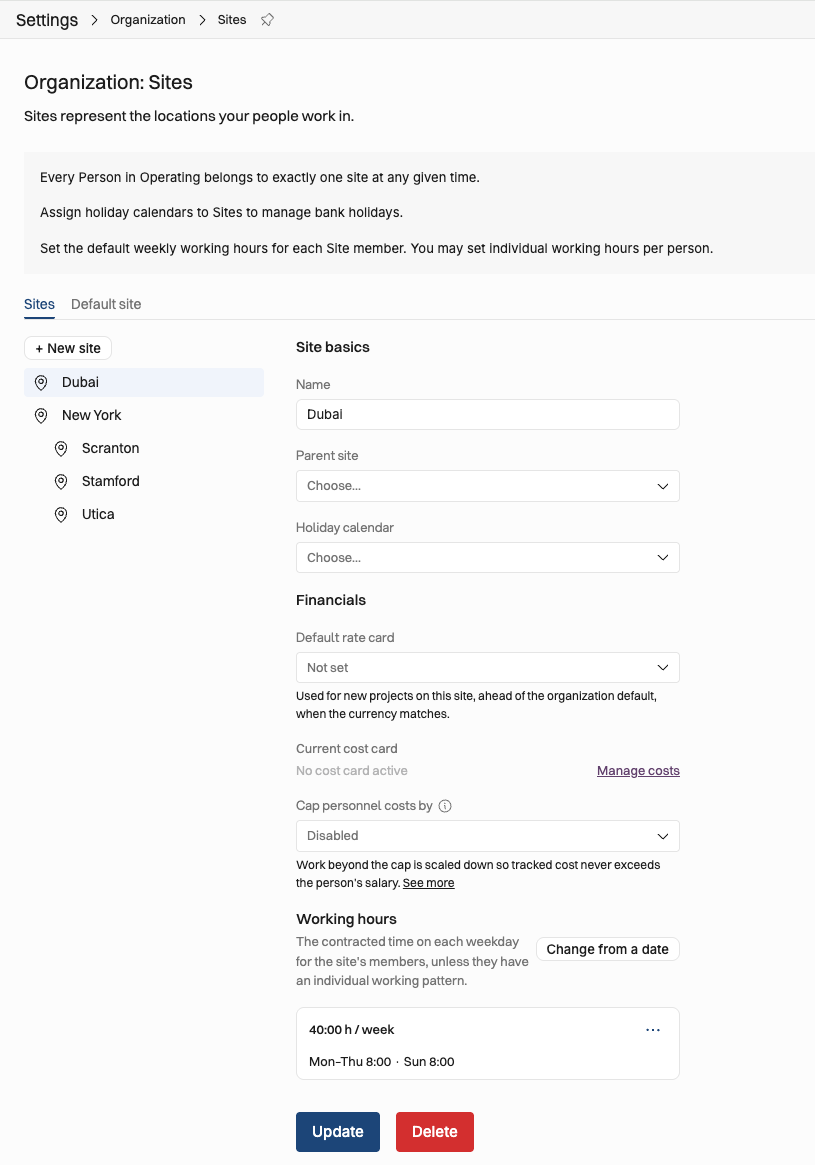
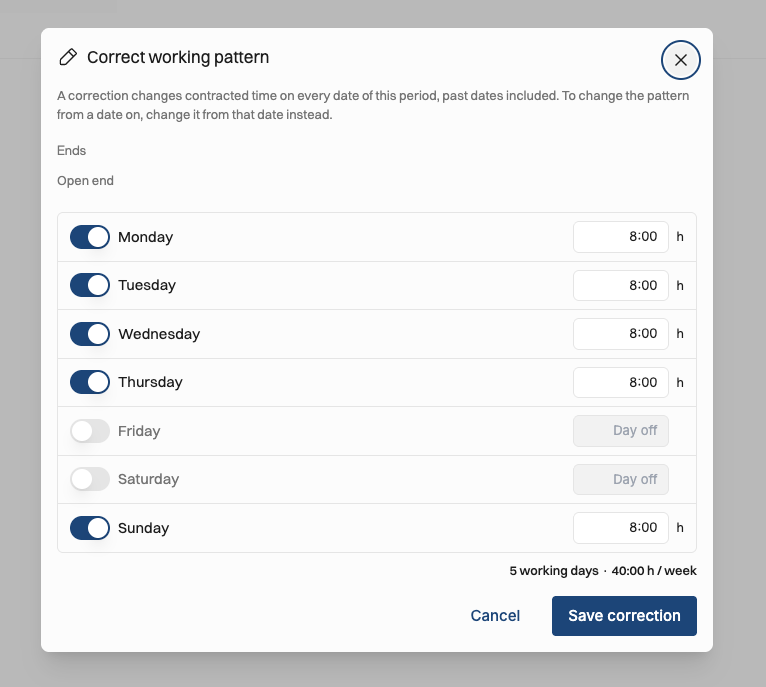
In the image above, we find that Dubai follows working hours that are not the same as the Mon-Fri that New York and its child sites use. When editing the working hours here, this is what you see:
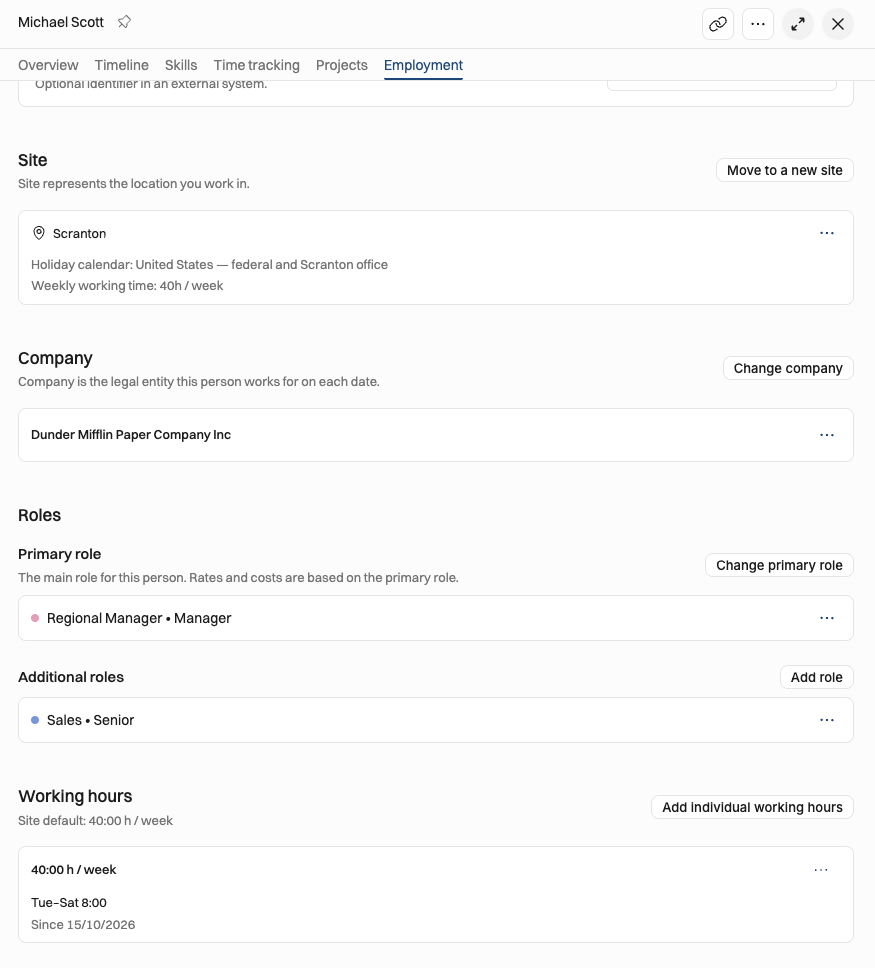
Different working days / patterns per person
Case Michael: he has his individual hours set up Tuesday-Saturday:
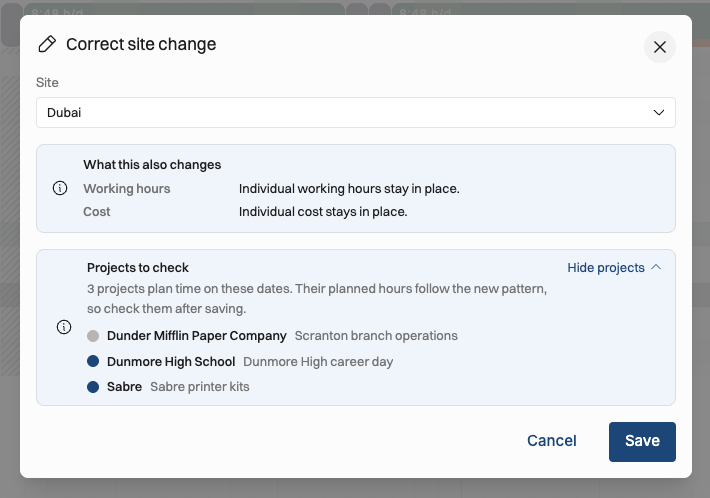
Site changes → working patterns may change
If he would be moved from Scranton to Dubai, this is what you would see:
Different working days on the Timeline
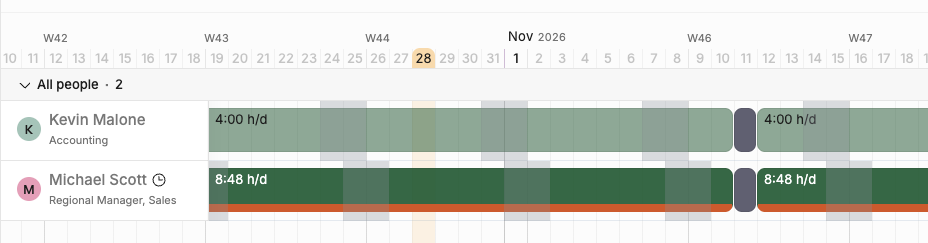
Kevin and Michael work different days. When showing 7 days/week on the Timeline, you can see that their weekends fall on different dates:
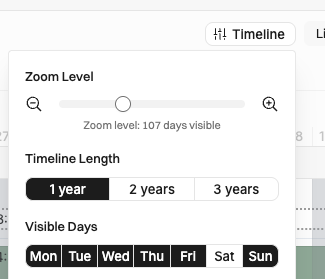
The Timeline display menu gets a new control:
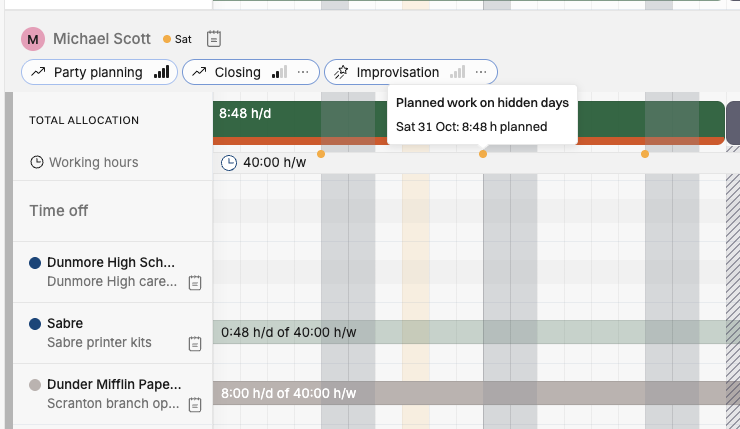
If you’ve chosen not to view all 7 days on the Timeline, this is the visual cue that shows that planned work is hidden from view:
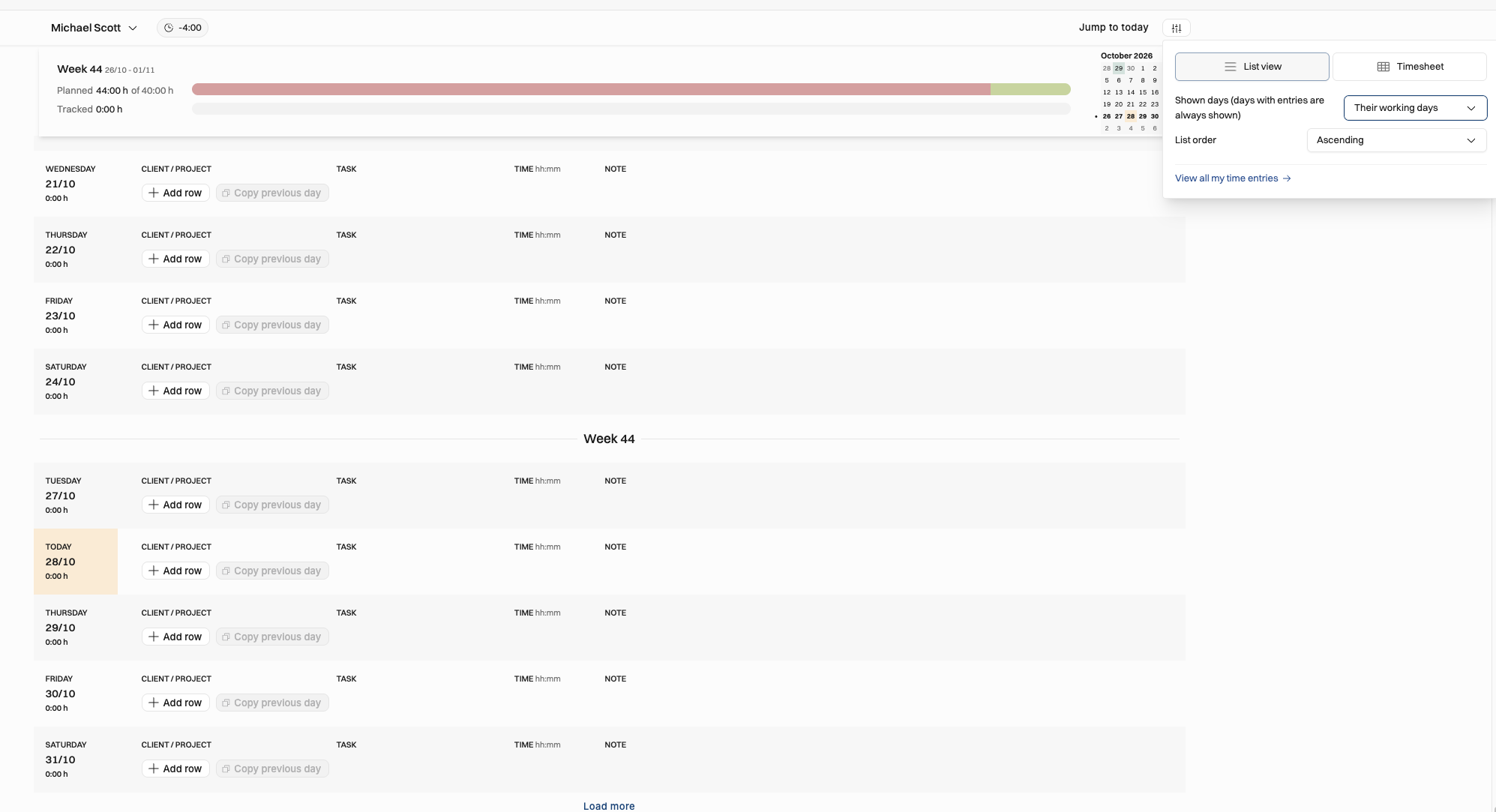
The Hours experience for time tracking
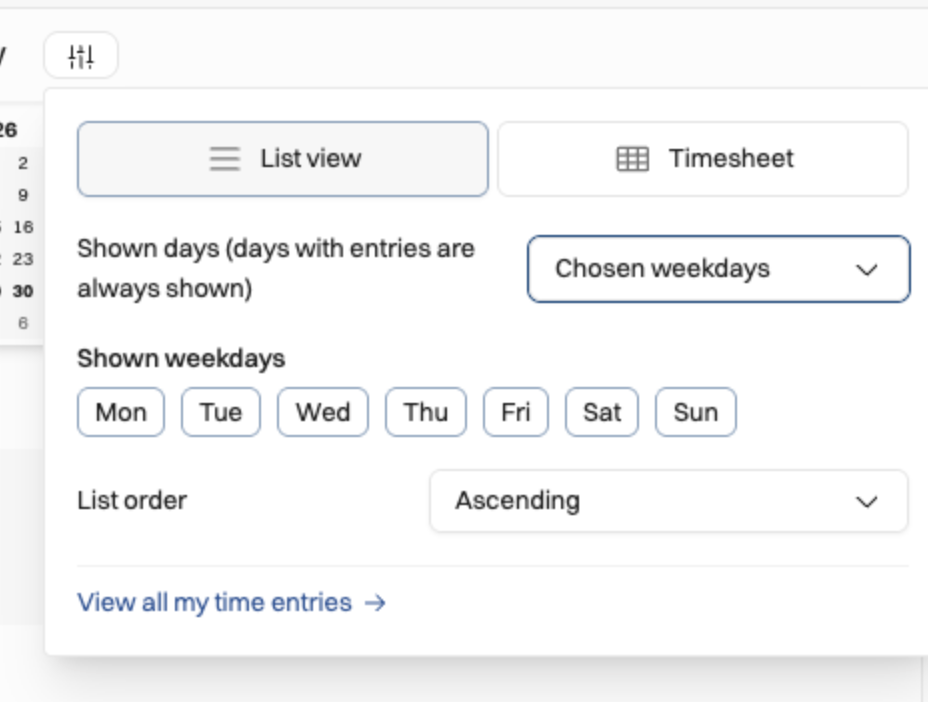
The time tracking UI also follows the Site/individual working days, both for the list view and the timesheet view.
Was this helpful?
Still need help? Ask the team