Site and individual working hours by weekday
Part-time work, different working days in different countries, and so on
Written By Matti Parviainen
Last updated 12 days ago
How to set the working hours / days per Site
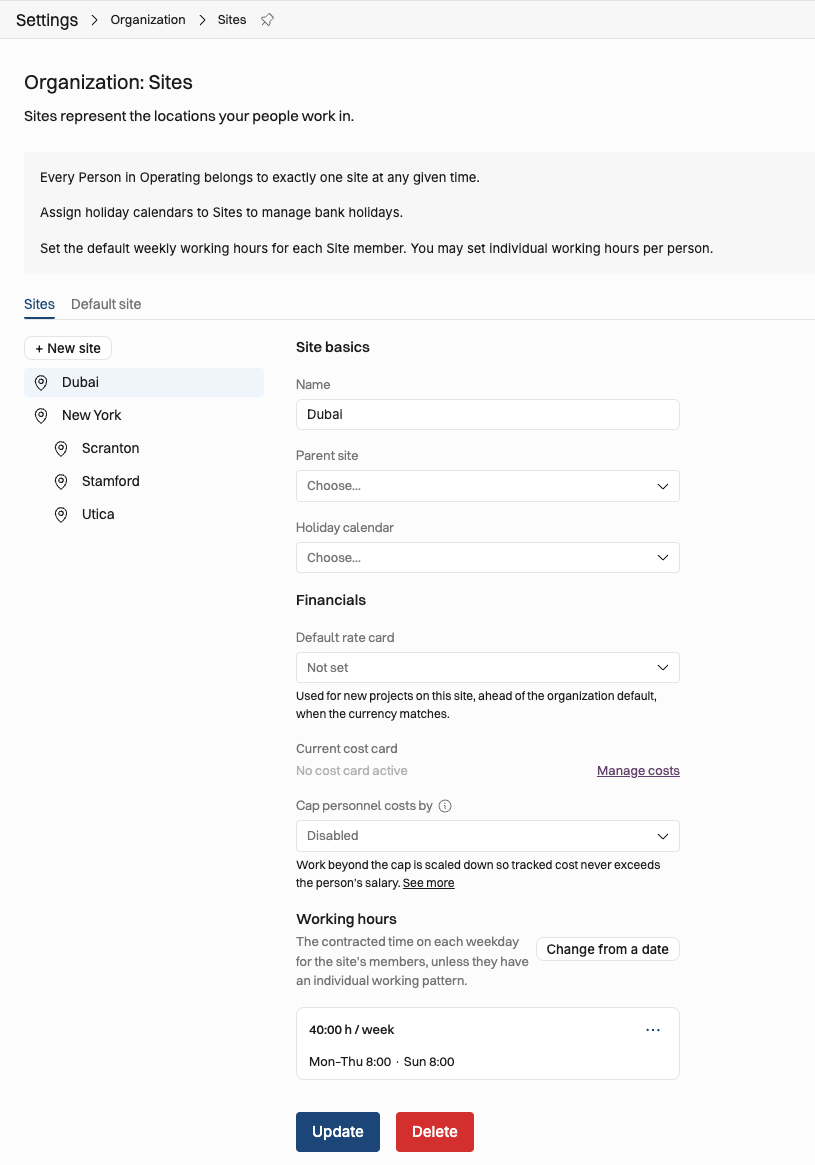
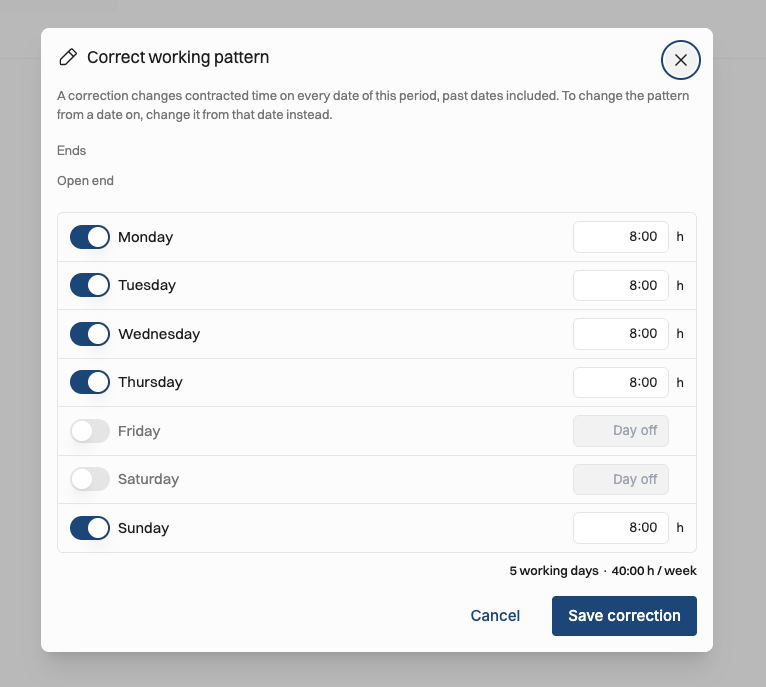
In the image above, we find that Dubai follows working hours that are not the same as the Mon-Fri that New York and its child sites use. When editing the working hours here, this is what you see:
Different working days and hours per person
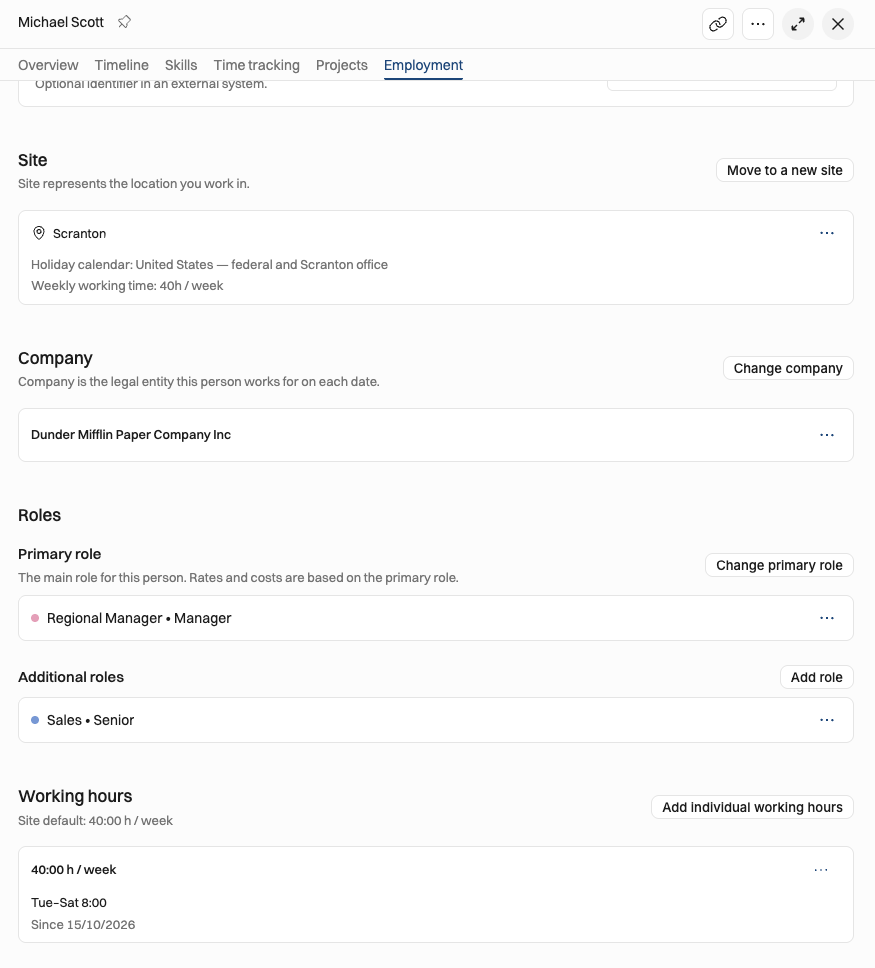
Case Michael: he has his individual hours set up Tuesday-Saturday:
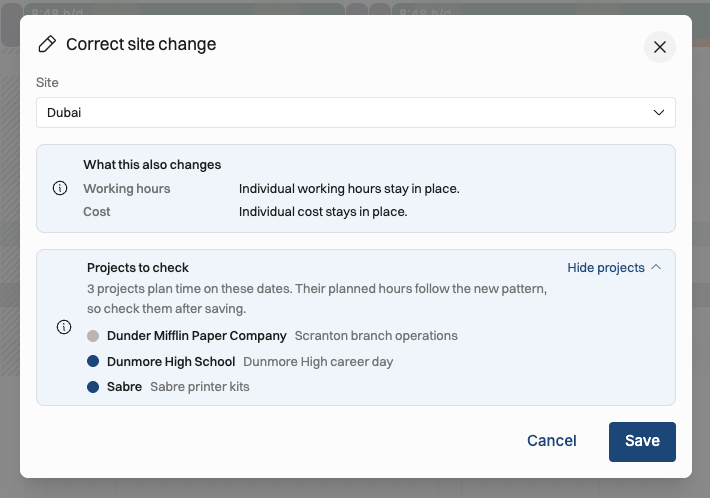
Site changes → working hours may change
If he would be moved from Scranton to Dubai, this is what you would see:
Different working days on the Timeline
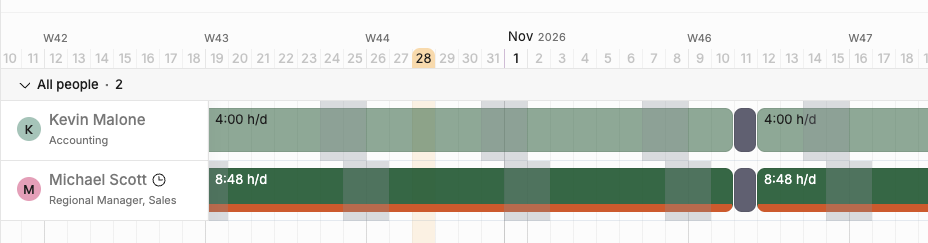
Kevin and Michael work different days. When showing 7 days/week on the Timeline, you can see that their weekends fall on different dates:
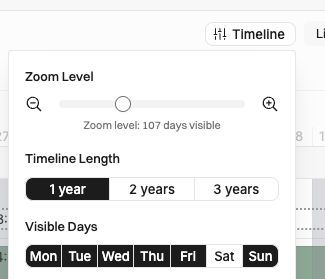
Choose which weekdays the Timeline shows with the Visible Days control:
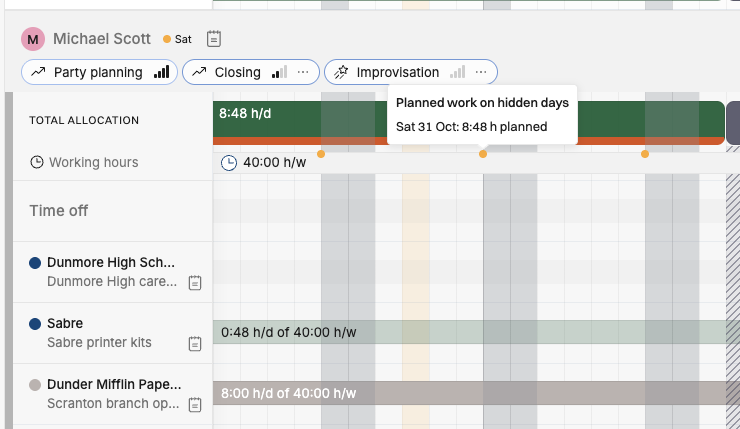
If you’ve chosen not to view all 7 days on the Timeline, this is the visual cue that shows that planned work is hidden from view:
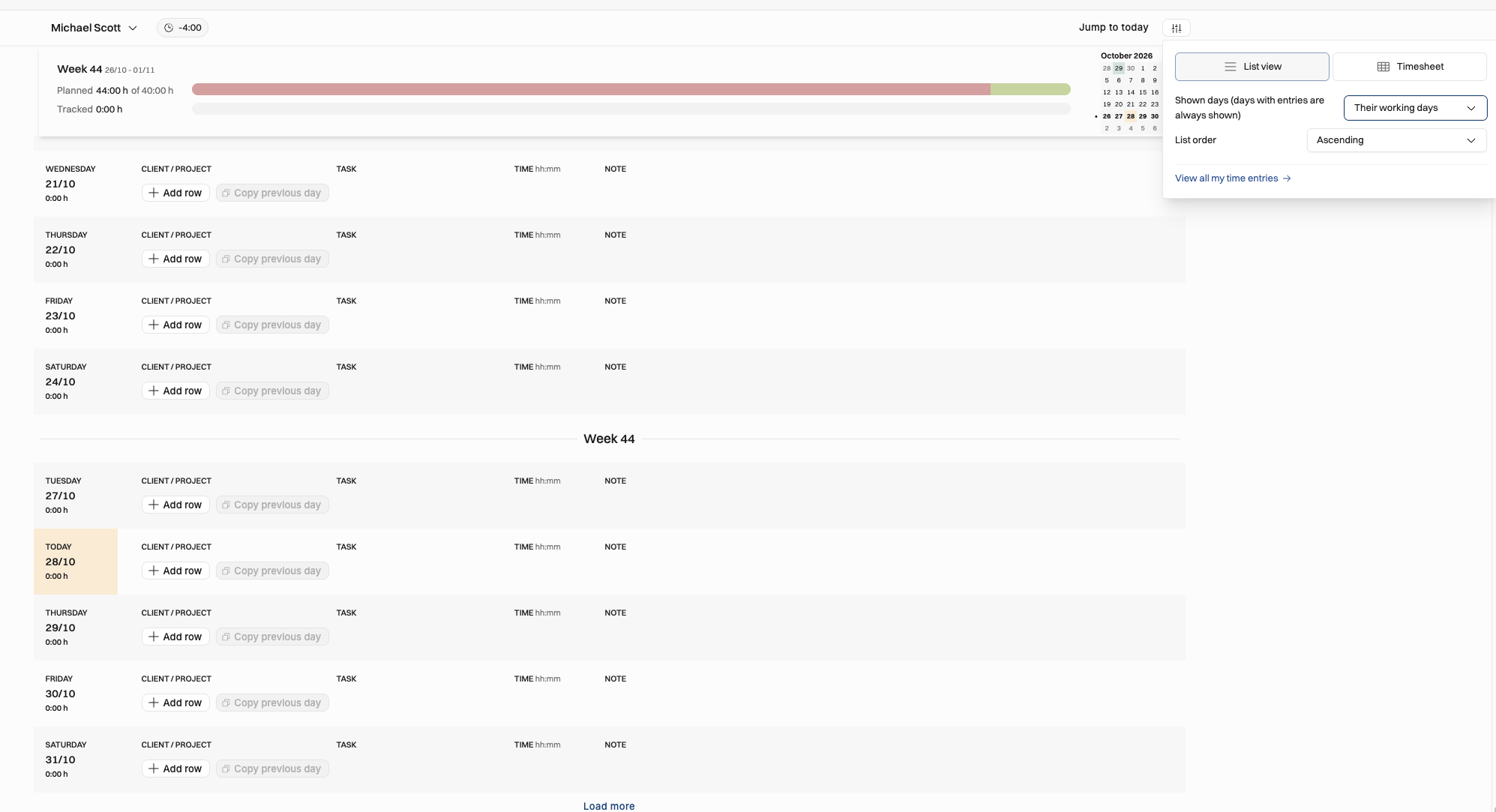
The Hours experience for time tracking
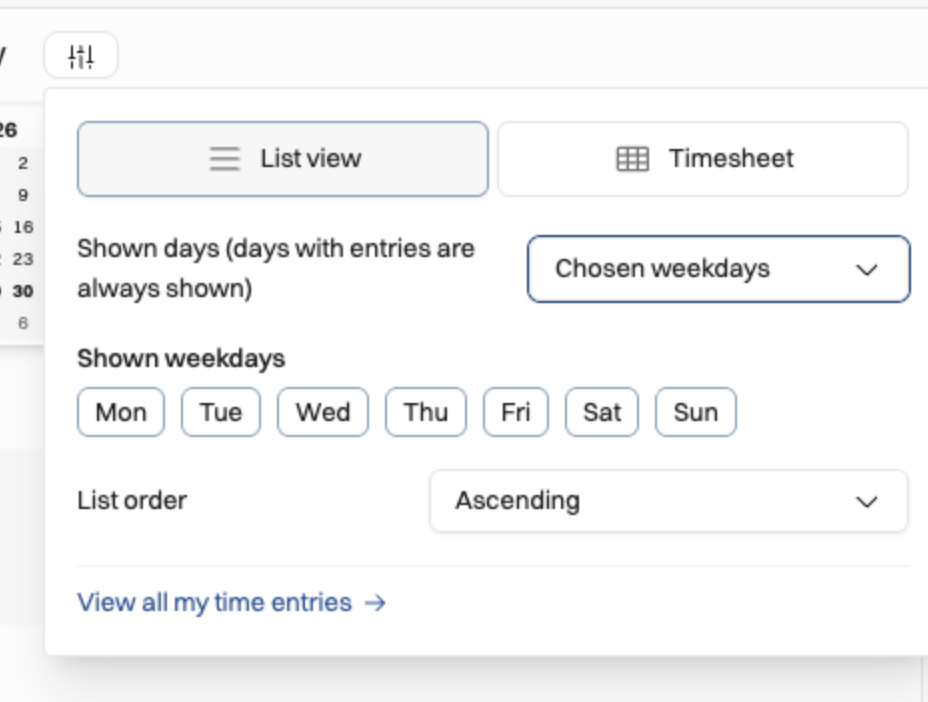
The time tracking UI also follows the Site/individual working days, both for the list view and the timesheet view.
Was this helpful?
Still need help? Ask the team